Moving Tips

IT Office Relocation Excel Checklist

Using an IT Office Relocation Checklist in Excel helps you organize tasks, assign responsibilities, and monitor progress in one centralized document. This ensures that nothing is overlooked and keeps the entire relocation process on track.

When it comes to managing the complexities of an IT office relocation, no one understands the importance of organization better than Stack Moves! With years of proven experience and trusted by businesses across industries, we use durable moving crates and packing solutions to make transporting even the most sensitive and expensive equipment safe and efficient. Paired with our professionally developed IT Office Relocation Checklist in Excel, you can keep your move structured, minimize downtime, and protect your assets every step of the way. For a seamless corporate move backed by expertise you can trust, contact Stack Moves today for a free consultation.

This guide will help you use an IT office relocation checklist in Excel to streamline planning, track progress, and ensure a smooth, organized move.

Why Do You Need an IT Office Relocation Checklist?

Why Do You Need an IT Office Relocation Checklist?

Moving IT equipment without a proper plan can expose your business to serious risks such as data loss, extended downtime, or even damage to critical hardware. Without a structured approach, it’s easy to overlook essential steps such as backing up servers, coordinating with corporate relocation services, or setting up network connections in the new location. These disruptions can lead to financial losses, frustrated employees, and decreased productivity.

An IT office relocation checklist helps you stay organized. It clearly outlines each step of the process and assigns responsibilities to appropriate team members. Instead of relying on memory or scattered notes, the checklist ensures that critical tasks such as disconnecting systems, transporting equipment safely, and setting up infrastructure are tracked and completed on time. This structured method reduces confusion, enhances communication, and ensures accountability across your team.

The Excel-based checklist is a valuable tool that simplifies tracking progress, assigning tasks, and setting deadlines. It’s customizable to suit your company’s needs, allowing you to filter tasks by priority and monitor completion status easily. This flexibility keeps the relocation process on schedule. It affords managers a clear, real-time overview of responsibilities and progress, ensuring a smoother and more efficient transition.

What Should an IT Office Relocation Checklist Excel Include?

For a secure, efficient, and successful office move, an Excel IT office moving checklist is a vital tool. By breaking down every step from preparing equipment and safeguarding data to coordinating with vendors and setting up the new office space, you can ensure a seamless transition. This approach minimizes downtime.

  • Inventory of IT Equipment:Start your checklist with a complete inventory of all IT assets, including computers, servers, monitors, printers, routers, and other devices. Assign responsible team members to monitor each item during the move to prevent loss or oversight.
  • Data Backups & Security:Include a schedule for backing up all critical data and verifying that backups are complete and accessible. Note any encryption methods and secure transport procedures to keep sensitive information safe throughout the relocation.
  • Network & Connectivity Planning:Add a checklist for setting up cabling, Wi-Fi, firewalls, and VPNs at the new office. Be sure to test connectivity both before the move and immediately after setup to avoid disruptions.
  • Software & Licensing:Document all installed software across devices and confirm that licenses are transferable or renewed as needed. This step prevents downtime and ensures compliance once systems are reinstalled.
  • Vendor Coordination:List all external partners, including office relocation companies, cleaning services, IT service providers, and utility contacts. Confirm moving expenses, move dates, and responsibilities in advance to minimize delays.
  • Set up at the New Location:Create a checklist for workstation setups, including computers, monitors, and peripheral devices. Also, include detailed steps for server and network setup to ensure operations resume smoothly in the new address.

How to Create Your IT Office Relocation Checklist in Excel

How to Create Your IT Office Relocation Checklist in Excel

To create your IT Office Relocation Checklist in Excel, start by setting up a worksheet that covers all key tasks. List every step of the move, from taking inventory of equipment to coordinating with vendors, in a clear and organized way. This guarantees the documentation of all responsibilities, preventing any gaps during the transition.

Next, design your spreadsheet with essential columns such as Task, Assigned To, Priority, Status, Deadline, and Notes. These categories make it easy to delegate responsibilities to relevant parties, monitor progress, and ensure accountability across your team. By prioritizing tasks and tracking deadlines, you can maintain control over the relocation timeline and address potential issues before they escalate.

To enhance usability, apply conditional formatting to highlight overdue tasks or mark completed items with color coding. You can also add progress bars or percentage trackers for a quick visual overview of how the relocation is advancing. If you’re unsure where to start, have a look at our free Excel template that already includes these features and can be customized to fit your specific IT relocation needs. This approach saves time, improves efficiency, reduces office moving costs, and helps ensure a smooth office transition.

How to Plan an Efficient IT Office Relocation Process?

Moving an IT office requires meticulous planning to prevent disruptions and safeguard valuable equipment and data. A well-structured process can make the move smoother and ensure an easy transition to your new workspace. This flexibility keeps the relocation process on schedule and affords managers a clear, real-time overview of responsibilities and progress, ensuring a smoother and more efficient transition

1. Pre-Move Inventory

Start by creating a detailed inventory of all IT assets, including computers, servers, printers, and networking equipment. This ensures that nothing is misplaced and helps prioritize what needs to be relocated or upgraded.

2. Data Backup and Security Measures

Back up all critical data to a secure cloud storage service or external drives before the move to prevent potential data loss. Implement encryption and strong access controls to protect sensitive information from breaches during transit.

3. Packing IT Equipment Safely

Use anti-static materials, padded boxes, and proper labeling when packing, especially for new and expensive equipment. This prevents physical damage and makes reassembly at the new location faster and more efficient.

4. Coordinating With Movers and IT Vendors

Work with professional movers experienced in handling technology and coordinate closely with IT vendors. Effective communication ensures that equipment is transported securely and is ready for immediate setup.

5. Setting up Workstations at the New Office

Plan the new office layout and floor plan, considering power, cabling, and internet connectivity access points. Have IT staff on-site to install technology infrastructure quickly so the entire team can resume work with minimal downtime.

Tips to Simplify Your IT Office Move

tips to simplify your it office move

Relocating your IT office to a new office location can be a complex process, but with the right preparation and a comprehensive checklist, you can minimize disruptions and avoid costly mistakes. These practical tips will help you protect your equipment, keep your team organized, and ensure a smooth transition to your new workspace.

1. Back Up All Data

You can protect the critical files that your business needs, even if something goes wrong during the move, by creating secure backups. Store copies in both cloud storage and external drives for extra security.

2. Label Equipment and Cables

Marking devices and cables saves time during reassembly and reduces the risk of errors. Use color-coded tags or office moving labels for new equipment or to quickly match items to their correct stations.

3. Assign Roles and Responsibilities

Delegating assignments helps avoid confusion on the moving day and ensures every step of the process is covered. Have a pre-move meeting with team members so everyone knows their duties.

4. Coordinate With IT Vendors and Moving Companies

Early planning with professionals ensures the safe transportation of equipment, especially those that require special handling, from the old office and its proper installation in the new space. Confirm schedules and responsibilities well before moving day to avoid delays.

5. Test the Networks and Systems.

Running connectivity and system checks in advance prevents unexpected downtime. This ensures that employees can resume work smoothly.

6. Rent Office Moving Crates

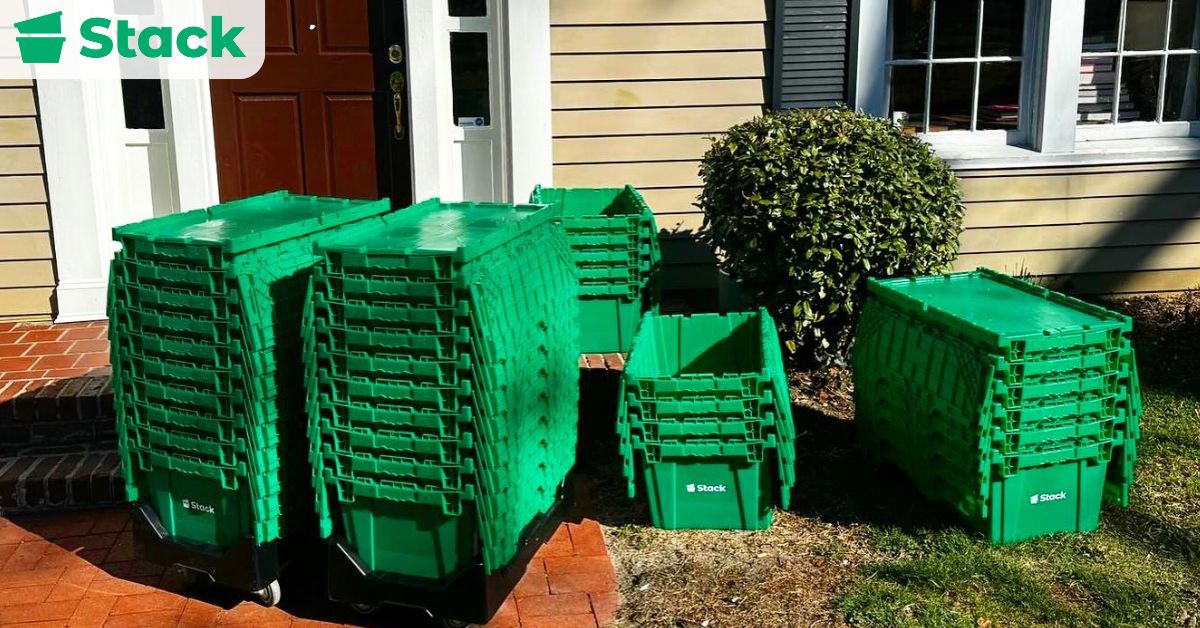
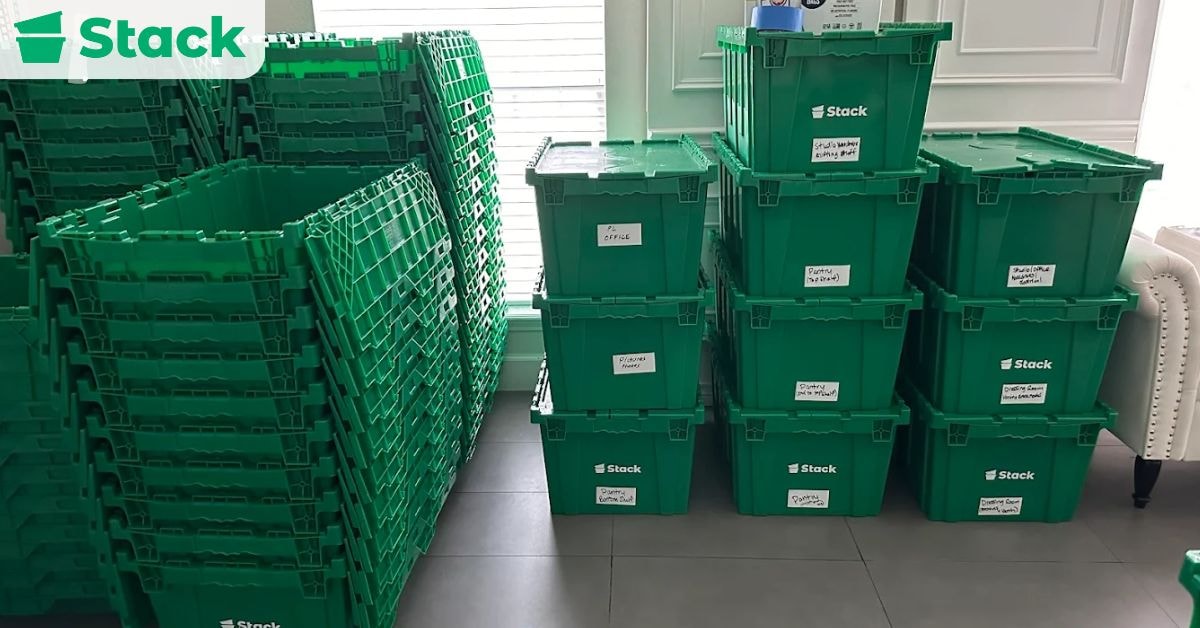
Plastic crates offer better protection for sensitive devices and are easier to stack and move. They also reduce the risk of equipment shifting or breaking in transit.

7. Keep Essential Tools and Spare Parts Handy

Having cables, adapters, and backup devices available helps resolve small issues immediately. This minimizes interruptions and keeps your employees productive.

8. Communicate Regularly

Inform employees early about the relocation plan and provide updates to keep the relocation process organized and transparent. Clear communication also builds confidence and reduces stress for the whole team.

Common IT Office Move Challenges and Solutions

common it office move challenges and solutions

One of the biggest challenges in any IT office move is avoiding data loss during the transition. Sensitive business information about clients and the entire office can be compromised if systems are not properly backed up or if hardware is mishandled during transport. The solution is to create complete data backups before the move, use encryption for added security, and work with professionals who specialize in handling IT equipment.

Another common issue is minimizing downtime for employees, as even a few hours of lost productivity can impact business operations. To reduce disruption, schedule the relocation outside of peak business hours and set up temporary systems or remote access for critical functions. Having a detailed timeline and clear communication with staff ensures they can prepare and adapt to any short-term changes in workflows.

Finally, troubleshooting network setup issues and handling delays from corporate relocation service vendors or movers often create unexpected obstacles. To avoid network problems, test the infrastructure at the new site ahead of time, and have IT staff available for immediate setup and troubleshooting. When working with vendors or movers, establish clear contracts. Confirm timelines in writing, and build in contingency plans so your relocation can stay on track even if delays occur.

Are You Ready to Move Your IT Office Efficiently?

Careful planning is essential for any IT office move, as it helps prevent data loss, equipment damage, and unnecessary downtime. A comprehensive office relocation checklist serves as a practical tool to organize tasks, assign responsibilities, and track progress, making the relocation process smoother and more efficient.

For reliable corporate moving, trust Stack Moves to keep your IT office relocation organized and secure. With our durable moving bins for rent and expert solutions, paired with an IT office relocation checklist in Excel, you can minimize downtime and protect valuable equipment. Contact us today for a free consultation and a stress-free move.

Frequently Asked Questions

Planning an IT office move comes with many questions, especially when it comes to organizing tasks and tracking progress efficiently. Below are answers to common FAQs to help you streamline your relocation with an Excel checklist.

How to Protect Your Data During the Move?

Back up all your files to a secure cloud service or external drive before the move to prevent accidental loss or damage. Use encryption and strong passwords on your devices to keep sensitive data safe from unauthorized access.

How to Protect Your Office Equipment During the Move?

Disassemble and pack office equipment in sturdy, padded boxes to prevent damage during transport. Label everything clearly and use protective covers for sensitive electronics to ensure safe handling and easy setup at the new location.

Are There Any Templates Available for an IT Office Relocation Checklist in Excel?

Yes, you can find free and customizable IT office relocation checklist templates in Excel online. These templates help track tasks such as inventory, equipment setup, network configuration, and timelines to ensure a smooth move.

How to Ensure the IT Relocation Process Is on Track?

Create a detailed project plan with clear timelines, responsibilities, and milestones to track progress. Regularly communicate with your IT team and vendors, conducting status checks to quickly address any delays or issues.

What Is the Best Way to Notify Employees and Stakeholders About the Upcoming IT Office Relocation?

Send a clear, company-wide announcement via email and internal communication channels, outlining the relocation details, timeline, and expected impact. Follow up with regular updates and provide a dedicated point of contact to address questions or concerns.

Office Relocation Checklist Excel

Office Relocation Checklist Excel

Relocating an office is a complex process that can disrupt business operations, delay projects, and create chaos if not handled properly. When juggling your daily work with an office move, there are plenty of ways it can go off the rails, such as misplacing important documents.

This is where an office relocation checklist comes in. We recommend using an Excel moving checklist because it is easy to customize, update, and track progress as things move forward. To create one, just open a blank spreadsheet and list out key tasks, owners, and deadlines, or save time by downloading an Excel office relocation checklist template online.

Our mission at Stack Moves is to help businesses like yours move smarter, not harder. Our eco-friendly plastic totes make packing easier and safer, especially when you’re dealing with heavy tech or expensive equipment. If you have any questions on how our services can improve your corporate move, our relocation experts are always happy to help. Get in touch today!

In this blog, you’ll learn what to include in your Excel checklist. We’ll cover everything from planning to post-move tasks so you can keep everything organized and your team focused.

Why Use Excel for Your Office Move Checklist?

Why Use Excel for Your Office Move Checklist?

The biggest benefit of using Excel for your office moving checklist is that it offers flexibility and customization that most tools can’t match. Instead of being stuck with a template, you can build your checklist from scratch or customize an existing one.

It also comes with built-in features like filters, conditional formatting, and formulas, which make it easier to stay focused on what’s urgent. It’s also easy to update and share with team members in real time. Saving your file on a cloud platform like Google Drive or OneDrive allows everyone to access the most current version, preventing miscommunication or outdated lists.

In addition to this, the file is accessible on multiple devices. Whether you’re at your desk or on-site at the new office, you can open, edit, or check off tasks on a laptop, tablet, or smartphone.

And finally, you can list budget and vendor information in the same file. This means you can record all costs, vendor names, and even their contact information, all in one place.

Key Sections in the Office Relocation Checklist Excel

 Key Sections in the Office Relocation Checklist Excel

Because a moving checklist is meant to keep the entire process organized and on track, it’s extremely important that your checklist covers all bases. To help you create a checklist that actually hits the mark, we listed the key sections every Excel office relocation checklist should include.

  1. Pre-Move Planning
    • Create a move committee and assign team leads
    • Set relocation budget and allocate funds for major office moving costs
    • Outline a project timeline with key milestones
    • Conduct a need assessment: what to bring, buy, and discard
    • Research corporate relocation companies that are experienced in corporate relocation services
    • Schedule meetings with key stakeholders to align expectations
    • Reserve freight elevators, parking, and loading docks at both locations
    • Obtain insurance coverage for equipment, furniture, and sensitive data
    • Create a contingency plan for delays, equipment failure, or unexpected costs
    • Develop a system to track inventory and assets for the move
  2. Communication Plan
    • Inform employees early about the upcoming move and the rough timeline
    • Share a communication schedule with all departments
    • Notify key vendors, service providers, and clients of the relocation
    • Coordinate with HR to address employee concerns and commuting changes
    • Send regular email updates or hold team meetings for progress reports
    • Update website, email footers, business cards, and social profiles with the new address
    • Issue a final “Move Week” communication with packing instructions and logistics
  3. IT and Equipment Logistics
    • Conduct a full audit of current tech and equipment
    • Assign the IT team to plan disconnection and reconnection timelines
    • Back up all systems and store important documents in a cloud storage service
    • Order new hardware or software needed for the new space
    • Schedule internet, server, and phone system installation in the new location
    • Label all cables and accessories clearly for easier reconnection
    • Transport fragile or sensitive equipment in secure, climate-controlled containers
    • Test all systems and configurations after arrival to ensure everything works smoothly
  4. Packing and Labeling
    • Create a packing schedule by team or department
    • Provide labels, packing supplies, and instructions to each team
    • Use color-coded or room-specific labels for easier unpacking
    • Wrap fragile items like monitors or glass boards in bubble wrap or foam
    • Disassemble large equipment ahead of time and label parts clearly
    • Store valuable or sensitive items in secure, tamper-proof containers
    • Confirm all items are packed and accounted for before the movers arrive
  5. Facility Setup
    • Finalize the new office layout and assign desks or work zones
    • Schedule a deep clean of the new office before move-in
    • Ensure utilities (electricity, HVAC, internet, water) are functioning
    • Set up IT systems, phone lines, and shared printers
    • Install signage, security systems, and keycard access
    • Deliver and assemble furniture in designated spaces
    • Unpack communal areas like kitchens and supply closets first
    • Verify accessibility, fire safety compliance, and emergency procedures
  6. Move Day Operations
    • Distribute printed and digital copies of the final move plan
    • Assign move-day coordinators by floor or department
    • Monitor the movers to ensure fragile items are handled with care
    • Keep communication lines open with vendors, IT, and the moving team
    • Double-check elevators, security access, and parking arrangements
    • Have emergency contact info and troubleshooting instructions available
  7. Post-Move Tasks
    • Confirm that all equipment and furniture are in the correct places
    • Test systems, printers, phones, and the internet one more time
    • Conduct a walkthrough to check if everything arrived safely
    • Launch department-specific unpacking and setup schedules
    • Return rented moving supplies (e.g., reusable plastic boxes)
    • Dispose of packing materials responsibly
    • Update your business registration and official records with the new address
    • Hold a debrief session to gather staff feedback
    • Celebrate a successful transition with a welcome lunch or happy hour

What to Include in Your Office Relocation Checklist Excel File

What to Include in Your Office Relocation Checklist Excel File

Each column in your checklist should serve a purpose and make it easier to coordinate across teams and timelines. A well-structured Excel file will help you organize your entire move in one place.

  • Task – What needs to be done (e.g., “Pack IT Equipment,” “Confirm New Internet Setup”).
  • Department – Which team or unit is responsible (e.g., HR, IT, Facilities)?
  • Assigned To – The person responsible for completing the task.
  • Start Date – When the task should begin.
  • Due Date – When the task must be completed.
  • Status – Progress stage (e.g., Not Started, In Progress, Completed).
  • Priority – Level of urgency (e.g., Low, Medium, High).
  • Estimated Cost – Expected expense for that specific task.
  • Actual Cost – Real expense incurred.
  • Completion% – Useful for multi-phase tasks or sub-tasks.
  • Notes – Extra context, updates, or dependencies.

Eco-Friendly and Practical Solutions to Include in Your Checklist

Your checklist should also reflect your company’s values. If your organization is big on sustainability, then your choices should protect the environment, not harm it. For a cleaner move, try some of these office relocation solutions:

  • Renting reusable plastic bins instead of cardboard boxes
  • Recycling or donating old office furniture and electronics
  • Responsible disposal of unwanted items
  • Using digital documents to reduce paper use during the move

How Do You Create an Office Relocation Checklist in Excel?

How Do You Create an Office Relocation Checklist in Excel?

A key part of any business relocation process is creating your moving checklist. Without one, you’re at risk of missing important steps or falling behind schedule. Fortunately, you can create one using Excel to build a checklist.

1. Create Columns for All Key Relocation Components

Think of this spreadsheet as your command center. Create columns like task, assigned to, department, start date, due date, estimated cost, etc. A structure like this makes it easy to track tasks, responsibilities, budgets, and anything else you want to keep tabs on.

2. Use Data Validation to Create Dropdowns for Status and Priority

There’s a higher tendency to make mistakes or enter data inconsistently, for example, “in progress” vs. “In Progress,” which can make filtering or sorting difficult. With data validation in place, you can add a dropdown list for fields like priority, e.g., Low, Medium, or High. This will help your team update the sheet without any guesswork or confusion.

3. Apply Conditional Formatting to Highlight Critical or Overdue Tasks

When you have a long checklist, visual cues can help you focus better. Use conditional formatting to highlight important tasks in bold colors, for example, overdue tasks in red. This helps your team spot time-sensitive issues without going through the entire sheet.

4. Use Filters to Sort Your Checklist by Person, Department, or Task Status

A move can be a busy period, and you may not always have time to go through everything in detail. Excel filters let you drill down into information based on what’s most relevant. For example, a team member might want to see all the tasks assigned to them; this is possible with filters. In the end, they save you time and reduce information overload.

5. Use Formulas to Track Completion Rates and Budget Totals

Formulas make it possible to track your progress and costs. These simple formulas provide real-time insights into your move, helping you monitor budget and progress at a glance.

GoalFormulaWhat It Does
Calculate how many tasks are completed=COUNTIF(StatusRange, "Completed")Count the number of completed tasks
Get the percentage of tasks completed=COUNTIF(StatusRange, "Completed")/COUNTA(StatusRange)Show progress as a percentage
Total estimated costs=SUM(EstimatedCostRange)Adds up your expected moving expenses
Total actual costs=SUM(ActualCostRange)Tracks your real spend as you go
Difference between actual and estimated=SUM(ActualCostRange)-SUM(EstimatedCostRange)Helps you stay on budget by flagging overruns

6. Store or Share the File on a Central Cloud Platform

To get the most out of your spreadsheet, share it with your team to make real-time collaboration possible. You can save it to a shared drive or cloud storage service like OneDrive or Google Drive, then set appropriate permissions to prevent version control issues.

Tips to Protect Sensitive Equipment During a Move

Tips to Protect Sensitive Equipment During a Move

Office moves can put fragile tech and expensive equipment at risk. Which is why how to protect your gear is one of the important things to consider when relocating a business. These tips will help you safeguard expensive equipment and avoid data loss or damage during transit.

  • Use plastic boxes: These boxes are more durable than cardboard boxes and offer better protection against moisture and impact. They’re also designed to be stacked on top of each other, helping you maximize space. Plus, they have lids too.
  • Wrap equipment in bubble wrap: Before you place your electronics in a box, wrap them in bubble wrap or any kind of protective padding. This will cushion the effect of any impact and prevent damage during a move.
  • Label fragile boxes clearly: Clearly label your boxes that contain breakable items. In addition to this, also list out the contents of the box and where it should be placed. This tells your movers to handle the box with care and to keep it where it will be safe.
  • Disassemble large electronics before packing: When possible, take apart large electronic devices. Doing this reduces the likelihood of anything getting damaged and makes it easier to keep them safe.
  • Organize accessories in labeled bags: Use a small bag or container to store wires, chargers, and other accessories. Furthermore, label the bag to make organizing them quick and stress-free.
  • Use climate-controlled transportation: Sensitive equipment like servers or hard drives may be affected by heat or humidity. With a climate-controlled vehicle, you can maintain a stable environment during the move.
  • Don’t stack heavy items on fragile boxes: Never place heavy boxes on top of boxes containing sensitive equipment. This prevents pressure damage and ensures fragile items aren’t crushed in transit.


  • Use anti-static bags for electronics: Static electricity can damage electronic components. Items like circuit boards, memory sticks, or processors should be placed in anti-static bags to prevent electrical discharge.
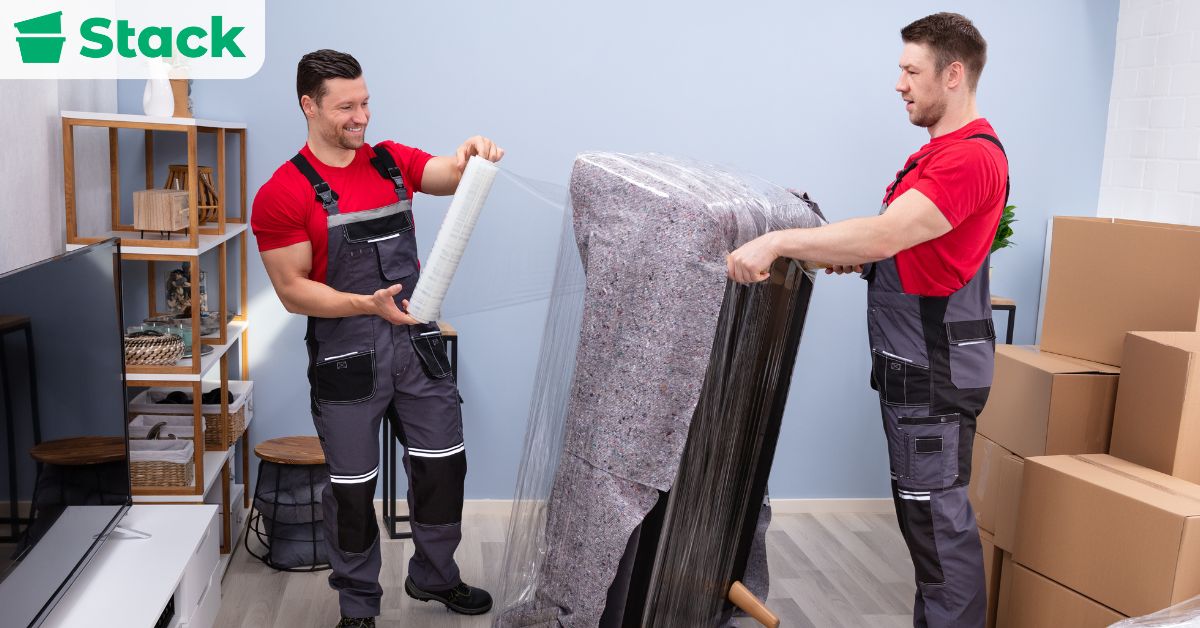
  • Hire experienced movers: Not all movers have the experience to handle sensitive equipment. Always work with a professional team that understands the special requirements of handling these electronics.
  • Create a moving checklist: Keep a detailed list of every fragile item you’re moving and check them off when you arrive at your new space. Tracking them this way makes sure nothing gets lost or left behind.

Want to Simplify Your Move With Rental Boxes?

A well-structured office relocation checklist can differentiate your move from a chaotic one to a smooth one. With the right plan in place, your team can stay on track, minimize downtime, and settle into your new office space with confidence.

With a checklist, you’ll be better prepared to tackle each phase of the move without unnecessary stress. Take the checklist we’ve outlined and make it your own by customizing it to fit your company’s specific needs, timelines, and team structure.

In addition to having a checklist, having the right packing supplies can also make your move more seamless. Our sturdy, reusable boxes protect your equipment, cut down on packing waste, and make transport easier. If you’re planning a move and want to simplify the process, rent our moving bins or contact us to speak with a relocation expert. Let’s make your next move your easiest one yet.

Frequently Asked Questions

When Should You Start Planning for an Office Move?

The earlier the better, ideally 6 months to a year before the move. Finding a new office location, budgeting, and locking down a reliable moving company all take time. The sooner you start, the easier it is to assign tasks and plan for a smooth transition.

Who Should Handle the Moving Process?

You’ll need your entire team in on this. Give people clear roles and check in on task progress often. Also, keep relevant parties like IT, HR, and leadership involved every step of the way.

How Do You Ensure a Successful Move?

A successful move comes down to solid planning. Set clear timelines, communicate often, and prep for hiccups. Don’t forget to protect expensive equipment and have a backup plan just in case your moving company runs into delays.

What Should You Look For in a New Office Location?

Look for a new office space that fits your team’s specific needs in terms of size, layout, and accessibility.

Why Does Communication Matter During a Move?

If people don’t know what’s happening, chaos follows. Internal communication keeps everyone aligned and avoids last-minute surprises.

Quick Packing Tips for Moving in a Hurry

Are you relocating on short notice or just falling behind your moving schedule? With a few quick packing tips for moving in a hurry, you can save time, reduce stress, and still enjoy an organized move. Create a simple moving checklist to help you focus on the essentials, use what you have at home instead of buying new supplies, and label boxes clearly to hit the ground running when you arrive.

At Stack Moves, we understand how overwhelming a last-minute move can be. Over the years, we’ve helped hundreds of clients enjoy stress-free moves with our convenient moving bins for rent. Each rental is delivered to your door and picked up after your move. Packing becomes faster and easier. Contact us today to get started on your journey towards a hassle-free move!

In this post, we will be sharing proven last-minute moving tips that will help you accelerate your packing process and make your move as smooth as possible, even on short notice.

11 Packing Tips for Moving in a Hurry

Packing Tips for Moving in a Hurry

After reading these tips, you’ll know exactly how to speed up your packing process and make your move as smooth as possible, even on short notice.

1. Make a Quick Packing Checklist

The key to having a successful last-minute move is to get organized first. I know what you’re thinking, but I don’t have time! Even just 10 minutes dedicated to making a checklist will make the move significantly easier. With that said, once you’ve made a list of everything you’ll need to move, it’s time to start thinking about what tools you’ll need.

2. Gather Packing Supplies

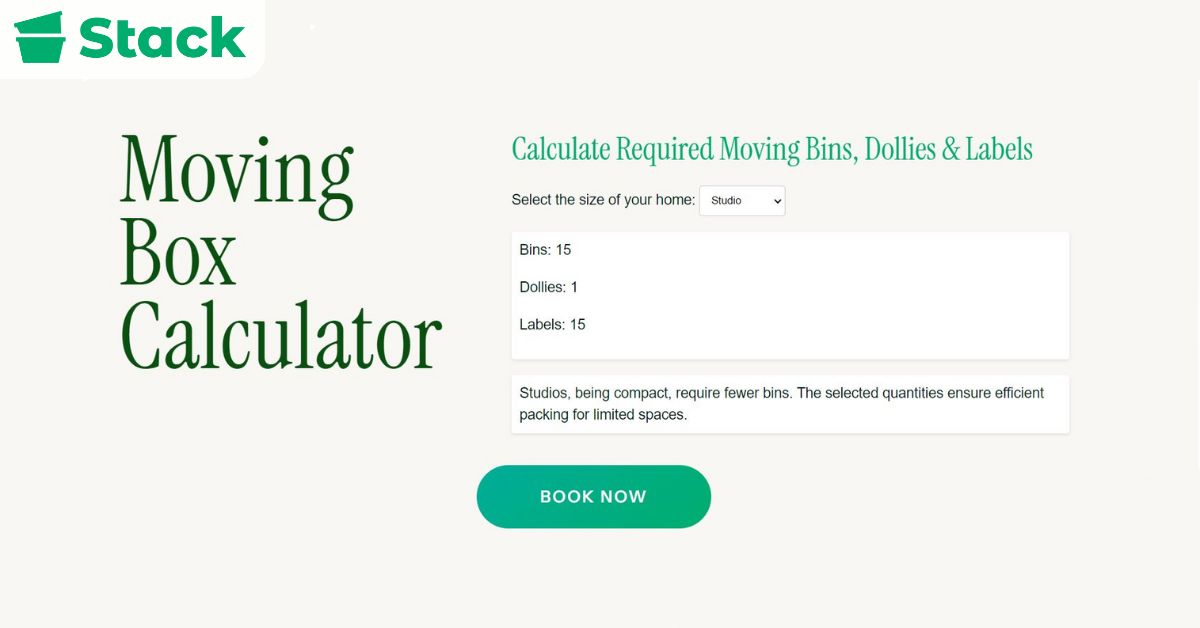
The next step is to gather packing supplies. Make sure you have enough basic supplies, which include your moving boxes, packing tape, bubble wrap, packing paper, etc., on hand. To get an accurate estimate of how many boxes you’d need for your move, use a moving box calculator.

3. Pack by Priority

Usually we advise people to pack room by room, but in a case like this, it makes more sense to pack based on priority. Start with the items you use daily and pack them in an essentials box. Then move on to bulky or fragile items that need additional padding to stay safe. Pack your non-fragile items, such as clothes, last because they can be stuffed into boxes quickly.

4. Clear Big Items First

If time is of the essence, prioritize large items and furniture first. Once big items are out of the way, you can quickly fill boxes or trash bags with smaller belongings. This process also frees up space in each room so you can move faster.

5. Confirm Moving Logistics

If you intend to hire movers, contact them promptly to confirm your moving date, services, and costs. Remember, last-minute bookings typically have limited availability and are more costly. However, if you’re handling the move yourself, you should arrange a moving truck as soon as you can. For long-distance or cross-country moves, double-check travel plans and secure any storage space you may need.

6. Declutter on the Fly

Find a box or bag to toss items you know you won’t take into. If possible, hire a professional junk removal company to handle all your unwanted items in a single trip.

7. Set Realistic Goals

When dealing with a last-minute move, chances are not everything will go smoothly. Thus, set achievable goals and keep a flexible attitude about the moving process. 

8. Use Your Suitcases

Before you reach out for extra boxes, consider using your luggage at home. Fill your suitcases with clothes, shoes, and bulky items like pillows. They’re sturdy, easy to roll, and can comfortably handle heavier loads. If you have any duffel bags lying around, use these to save space in your moving truck. This way, you cut down on boxes and save money on packing supplies.

9. Vacuum-Seal Bulky Items

Large items like bedding, towels, and seasonal clothing take up a ton of space. Vacuum-seal bags can shrink them down to a fraction of their size, freeing up valuable room to pack other items. Using vacuum bags protects the fabric from dust, dirt, and moisture while in transit.

10. Wrap Breakables with Soft Items

If you run out of bubble wrap mid-move, don’t panic. Soft items like towels, socks, and t-shirts make excellent padding for dishes, glasses, and other breakables. Just wrap plates individually in shirts or towels and stack them vertically in smaller boxes to minimize the risk of breakage. This dual-purpose strategy lets you kill two birds with one stone by saving you money on packing materials and keeping more items together in one load. 

11. Leave Clothes on Hangers

Don’t waste energy folding closet clothes; instead, tie hangers together in small bundles and slip a trash bag over them for a makeshift garment bag. At your new place, you can simply rehang everything in minutes. This is one of the fastest wardrobe-packing tricks.

5 Minute Pre-Move Preparation

5 Minute Pre-Move Preparation

Are you looking for a quick way to pack and prepare in just 5 minutes? First, you should draft a quick checklist that prioritizes tasks based on urgency. This should include hiring movers, packing your belongings, finalizing your travel arrangements, and handling utilities. Since you’re short on time, your checklist must be concise and focused on critical tasks.

Next, sort items quickly and decide what to keep, donate, or toss. This step prevents you from wasting time packing items you don’t actually need. Keep essential items and things you use daily. For the items still in excellent condition but no longer useful, you can donate. However, you should dispose of broken items or those not suitable for donation. 

While doing your pre-move preparation, you should have essential packing supplies at the ready. They include moving boxes, plastic wrap, packing tape, tape scissors, packing paper and bubble wrap, trash bags, markers, and color-coded stickers. When packing, begin with the most critical items. Then, pack a bag with items you’ll need immediately upon arrival, like toiletries, chargers, important documents, etc. 

Lastly, get a quick moving estimate beforehand to understand your expenses, especially if you’re moving a long distance or if you require storage units. Getting such information can be helpful for budgeting. For example, you can get an estimate on the average moving costs for a 1-bedroom apartment in CA.

Time-Saving Packing Strategies

Time-Saving Packing Strategies

Two of the fastest ways to stay organized during a last-minute move are setting up a central packing station and using the one-room-at-a-time approach. Both strategies save time and make unpacking much easier.

With a central packing station, you keep all your packing supplies in a designated spot. The idea is to keep everything you’d need readily accessible for use. A central packing station not only speeds up the packing process but also keeps your efforts organized and prevents wasted time.

Using the one-room-at-a-time method helps you stay focused and guarantees you don’t overlook anything. As the name implies, you only focus on packing one room at a time. It makes unpacking more straightforward because everything from one room is packed together. For this approach to be even more effective, it’s important to choose the best boxes that match the items you’re packing.

Clothing and Soft Goods: The Bundle Technique

One of the quickest and most effective methods for packing clothes quickly is the bundling technique. Instead of folding clothes flat, roll and wrap them around a smaller core item like socks or underwear to create compact bundles. This technique saves space and also reduces wrinkling, making it an efficient method for packing soft goods.

Use wardrobe boxes for hanging clothes because they allow you to transfer garments directly from your closet without folding. If you can’t get any wardrobe boxes last minute, garbage/trash bags make a good garment bag substitute. Simply slip the bag over a group of hangers and tie it at the bottom. This method keeps clothes together, clean, and ready to rehang at your new place.

Electronics and Appliances

When packing electronics and appliances like a coffee maker, protection matters more than speed. It’s best to pack electronics in their original boxes if you still have them. If the original packaging isn’t available, use sturdy moving boxes and secure the items with bubble wrap and packing paper. Additionally, ensure that fragile items are marked clearly and kept separate from heavier items to avoid damage.

Packing Essentials: What to Keep Handy

Packing Essentials: What to Keep Handy

After a successful move, the last thing you’d want to do is dig through boxes to find your phone charger. That’s why it’s important to pack an essentials bag during a move. Your essentials bag should contain items you’ll need for the first night and the following few days after your move.

Examples of items to pack in an essentials bag include personal belongings such as toiletries, medications, glasses, bedding, towels, and a change of clothes. It should also have important documents, like an ID, medical records, lease or purchase documents for the new house, insurance policies, and other critical paperwork.

Also, allow your situation to guide what you include in your essentials bag. For example, if you have children or pets, include necessary items like diapers, baby food, pet food, and favorite toys to keep them comfortable. If you expect to arrive after dark, it makes sense to include a flashlight or small lamp so you’re not fumbling through boxes without light.

Without an essentials bag, you would have to endure the stress and chaos of searching through numerous boxes for your necessities on the first day after a tiring move. It should be the last thing you pack and the first thing you open when you arrive.

Moving Day: Execution and Flexibility

Typically, you should have a checklist when preparing for moving day. Before the movers arrive or you start loading the truck, do a final packing review to ensure that all boxes are properly sealed and labeled with items and their designated rooms. You should also go through each room, including closets, attic, basement, and garage, to make sure nothing is left behind. 

Keep in mind that moving day can come with its own set of unforeseen issues. Therefore, you should be flexible with timing. Additionally, stay in close contact with your movers. Ensure that they have your correct new address and a phone number to reach you at any time. It is also important to know what to do in case of an emergency, including having a first aid kit and the phone numbers for local emergency services. 

When and How to Ask for Help

When and How to Ask for Help

Moving can be a daunting task, particularly when done at the last minute. However, packing goes more quickly and is somewhat more enjoyable when friends and family are present. Ideally, inform your friends and family as soon as you’ve scheduled your move. Even a day or two of notice is better than surprising them on the morning of your move.

To get your friends and family involved, reach out to them via phone or text and be clear about the kind of help you need and the time commitment involved. Then, pick a time that is likely to be convenient for most people. Evenings or weekends usually work best. 

It is important to prepare and have all your packing supplies ready before they arrive. Furthermore, you should offer incentives like snacks, drinks, or even promise to return the favor. Also, assign tasks based on strengths. Let some friends handle the heavy lifting while others can wrap delicate items or manage organizing the boxes.

If friends and family can’t cover it, hire professional packers or movers. Even though it’s last-minute, try to get at least three quotes to ensure you are getting a reasonable price. Before booking, ask important questions about their experience, insurance policies, and the services they offer. For example, many people often ask, ‘Do moving companies pack for you?’ Make sure you know exactly what the movers’ services will include. Also, confirm whether they can handle special items that require careful packing or heavy lifting.

Move Faster with Plastic Moving Bins for Rent

The first thing to do when navigating a last-minute move is to create a moving checklist. With it you’ll be able to stay on track, prioritize tasks, and avoid overlooking anything important. Combined with other helpful strategies like using materials already available at home, you can make the process manageable and far less stressful.

If necessary, hire professional movers to save time with packing, loading, unloading, and unpacking. Remember that moving in a hurry doesn’t have to be a chaotic experience. Preparation and organization are key, even when time is short.

If you want to get packed and on the road quickly, consider renting your moving boxes instead of purchasing them. Our delivery and pickup services are available in multiple locations across the U.S. Schedule your boxes to get started!

Frequently Asked Questions

Moving in a hurry is a stressful process, but with the right strategy, you can stay organized and save time. Here are answers to common questions about last-minute packing and moving.

How to Quickly Pack for Moving?

Consider downloading a checklist instead of creating one from scratch. Prioritize packing your essentials first and rent moving boxes instead of buying them to save time. Also wrap fragile items using what you already have at home, like towels, and label boxes by room to speed up offloading and packing.

What Should I Pack for Last-Minute Moving?

First discard anything you no longer need to lighten your load. Then focus on your essentials, which include clothes, toiletries, important documents, and anything you would use daily, before moving on to non-essentials.

How Do You Pack for a Move Without Getting Overwhelmed?

Break packing into small tasks. Tackle one room at a time, use labels to stay organized, and set aside an essentials bag for moving day.

How Long Before Moving Day Should I Start Packing?

Ideally, start 2–4 weeks ahead. For last-minute moves, begin immediately with essentials and work through non-fragile items before tackling breakables.

How Can I Pack Efficiently When Moving on Short Notice?

Use what you already have. You can replace bubble wrap with other cushioning items like towels or use garbage bags to pack bulky but non-fragile items like comforters. This is an opportunity to utilize available resources creatively.

Are There Professional Services Available for Last-Minute Moves?

Yes, they are. If you’re handling packing yourself, you can rent eco-friendly moving boxes and have them delivered to your location and picked up from your new address when you’re done. If you need full-service movers, keep in mind prices for last-minute services are usually higher.

How Much Do Movers Charge?

On average, movers charge $300 to $1,500, or about $25–$75 per mover per hour. The exact price depends on factors like the size of your home, moving distance, and additional services. While these estimates are useful for planning, the final price can vary, which is why this guide covers everything from typical rates to hidden fees and cost-saving tips.

Are you worried about the cost of planning for your move? At Stack Moves, we’ve built a reputation for helping movers lower their moving costs with our reusable moving bins for rent. This simple switch from buying boxes to renting them has saved our customers hundreds of dollars while making their moves faster, easier, and more organized. Contact us today to kickstart your journey to a more budget-friendly relocation.

In this post, we’ll break down the main factors that influence local moving costs, hidden fees to watch out for, and how to get the best value for your budget.

How Do Movers Structure Pricing?

How Do Movers Structure Pricing?

Professional moving companies calculate their prices in different ways, and the method used can greatly impact your average moving cost. Knowing how each works will help you choose the option that best fits your budget, timeline, and moving needs. There are three main pricing models used in the moving industry:

1. Hourly Rate Pricing

This is the most common pricing method for local movers, and it involves paying an agreed rate per hour. This pricing method is best suited for smaller local moves. The biggest benefit of using this pricing method is that you only pay for the time used. You can control your costs to some extent by keeping your loading and unloading organized. However, some things, like traffic delays, are out of your control. Such events can extend the time needed to complete the move and increase your bill.

2. Flat-Rate Pricing

With flat-rate pricing, you’re given a fixed estimate for the entire job, regardless of how long it takes. This method is often used for interstate relocations or jobs with clearly defined requirements. It’s ideal for people who want predictable costs and don’t want to worry about hourly billing. However, if the estimate is based on inaccurate information, the price may be adjusted, or the mover may refuse to transport extra items not included in the quote.

3. Weight-Based Pricing

Your cost to hire movers could also be calculated based on the total weight of your shipment, making it common for interstate and cross-country moves. This method works well for large moves if you’ve taken the time to declutter and reduce the load, as fewer pounds means a lower price. The downside is that heavy or bulky items can significantly increase your overall cost.

Hourly Rate PricingFlat-Rate PricingWeight-Based Pricing
Ideal ForLocal moves over short distancesLong-distance movesInterstate or cross-country moves
Cost CalculationSet rate per hourFixed total price based on scopePrice per pound of shipment
Main AdvantageYou only pay for the time usedEasier to budget and avoid unexpected hourly chargesFewer pounds = lower total cost
Potential DrawbackUncontrollable delays like traffic can increase the billPrice may change if the original inventory or details are inaccurateHeavy or bulky items can raise the price even if they take up little space

What’s the Average Cost of Movers?

What’s the Average Cost of Movers?

On average, hiring movers for a local move costs around $80 per hour, while long-distance moving companies typically charge using weight-based pricing. In either case, the total cost will depend on several factors, such as the distance of the move, the size of your home, and any additional services you choose.

How Much Do Local Movers Charge?

For local moves (100-500 miles), many local moving companies will charge an hourly rate that falls between $25 and $75 or more. Some factors that could make this rate higher or lower include the size of your home and moving crew.

For instance, it will only take a few hours for two movers to move a studio apartment, but you might need an entire day and up to 3 movers to move a 3-bedroom apartment. Another factor that can influence your moving cost is your location. For instance, hiring movers in NYC will cost more than hiring the same number in another city.

Some companies even have minimum time or mileage requirements, meaning a short move across town could be billed for several hours regardless of the actual time spent.

How Much Do Long-Distance Movers Cost?

In 2025, the average cost of a long-distance move (over 1,000 miles) is between $2,000 and $8,000+, depending on factors like distance, shipment weight, and more. For long-distance moves, most professional moving companies calculate rates based on the total distance traveled and the weight of your shipment. Other companies may choose to offer a flat-rate quote that still factors in these elements.

The price can also vary depending on whether it’s an out-of-state or cross-country relocation. Moving to a neighboring state will generally cost less than transporting a household from coast to coast, even if the shipment size is the same.

Keep in mind that opting for additional services like professional packing, storage, or special handling for fragile items can increase your total bill.

Move TypeAverage Cost Range (for movers only)
Short Distance Move (100-500 miles)$300–$1,500 (local hourly rate applies)
Long-Distance Move (1000+ miles)$4,000–$8,000 (flat rate or per weight/mile)
Cross-Country Move$2,500–$11,000 (based on distance & load)
International Move$3,000–$18,000+ (movers + handling fees)

How Much Do Movers Charge Based on Home Size?

The average cost of movers for a 2-bedroom apartment will definitely be more than the average price of moving a studio apartment. This is because the size of your home is one of the biggest factors in determining moving costs. Larger homes usually mean more furniture, boxes, and overall weight, which require more labor and a bigger moving truck.

Home Size# of MoversAverage Hourly RateAverage Total Cost (Local Move)
1 Bedroom2 Movers$80–$120/hour$300 – $1,500
2 Bedrooms3 Movers$100–$140/hour$800-$2,500
3 Bedrooms3–4 Movers$120–$170/hour$3,200-$5,500
4 Bedrooms4–5 Movers$150–$200/hour$3,800–$7,000
5 Bedrooms5+ Movers$180–$250/hour$7,000+

How Much Do Movers Charge for Specialty Items?

Specialty items typically cost more to move because these items are often bulky, fragile, unusually heavy, or high in value. This means movers must invest more time, materials, and skill to transport them safely. Some common specialty items and the average cost of moving them include:

Specialty ItemAverage Moving Cost
Piano$200–$1,000+
Pool Table$375-$1,500
Hot Tub$150-$1,000
Car$500–$2,100
Aquarium$100–$500+
Gun Safe$200–$700

What Affects the Price of Movers?

Moving costs aren’t based on distance alone. There are plenty of other factors that can raise or lower your final bill, and knowing them upfront helps you budget more accurately. Some of them include:

  • Specialty or Bulky Items: Heavy furniture, pianos, gym equipment, and fragile or oversized items require more labor, special handling, or custom crating, all of which can push your price higher.
  • Professional Packing Services: Opting for professional packing services instead of packing yourself will save you time and reduce your risk of losing or damaging anything. But it will also increase your overall moving cost.
  • Insurance Coverage: Basic liability protection is usually included, but full-value protection or additional insurance comes at an extra cost. It’s worth the investment if you’re moving valuable items.
  • Number of Movers: The size of your moving crew affects your hourly rate and total job time. If tasked with moving a 4-bedroom home, a two-person team would look cheaper on the surface. In reality, a two-person team could end up being more expensive due to the amount of time required to complete the move. Conversely, a four-person crew can expedite the move, thereby lowering the total billed hours.
  • Time of the Move: Moves during the summer, fall, or even over the weekend are the most expensive because they fall in peak moving seasons. Scheduling your move during the winter or even on a weekday instead of a weekend can lead to lower rates, whether you’re moving locally or out of state.
  • Extra Services: Services like short- or long-term storage, navigating stairs or elevators, and long-carry surcharges all increase your final moving bill. Plus, not all moving companies pack for you; rather, it becomes an added charge on your overall bill.

What Hidden Moving Costs Exist?

What Hidden Moving Costs Exist?

People often concentrate solely on the moving company’s quote when budgeting for a move. Several hidden or unexpected charges can increase your final bill. An understanding of these costs can help you avoid surprises and keep your moving budget under control.

One of the first hidden costs to prepare for is long-distance fuel surcharges, especially for interstate and cross-country moves. If your home is far from the mover’s main service zone, you may be charged out-of-area fees to reflect the travel time and fuel that went into your move.

Another factor that can attract hidden costs is how accessible your building is. Moves involving long flights of stairs or tight spaces usually incur a stair carry fee. In some cases, movers also pass on elevator reservation costs if they need to secure dedicated lift access in an apartment or high-rise building.

Another common hidden expense is the cost of packing supplies. Most movers provide moving boxes and other materials either as part of your moving package or as a separate charge. If you decide to use plastic bins for your move, such expenses can make these fees pricier when purchased upfront, which is why we always advise customers to rent them instead.

Finally, many people overlook the cost of insurance. Basic liability coverage, typically included at no extra charge, provides minimal protection, while full-value protection provides better coverage. However, the price is based on the declared value of your belongings, which can substantially increase your moving costs.

How Can I Save Money on Moving?

Cutting your moving costs isn’t difficult and often involves simple steps that require a bit of planning, such as booking well in advance of your move date. To help you reduce your moving expenses, we’ve compiled a list of the most effective ways to save money on your next move.

  • Take Advantage of Off-Season Moving Discounts: Many professional moving companies offer discounted rates during these slower periods, making it an ideal time to book if your moving date is flexible.
  • Book Mid-Month or Weekday Moves for Better Rates: Scheduling your move for a weekday or in the middle of the month can help you take advantage of lower rates. Additionally, it can also reduce the risk of delays since movers have fewer jobs to juggle.
  • Cut Labor and Material Costs Wherever Possible: Hiring fewer movers or limiting the number of hours they work can have a big impact on your overall moving expense. You can also save money by sourcing free moving boxes from local stores, reusing packing supplies you already have, or borrowing materials from friends and family.
  • Weigh the Risks and Rewards of DIY vs. Professional Packers: You can shave hundreds of dollars off your moving budget by simply packing your belongings yourself, but doing this comes with some unavoidable risks. One of them is a higher chance of damaging something during the move, which could result in higher replacement costs. Consider your time, energy, and the value of your items before deciding.
  • Reduce the Load to Lower Moving Costs: The fewer items you move, the less you’ll spend on both transportation fees and labor costs. A lighter load can even reduce the size of the moving truck you need, leading to further cost savings.
  • Donate or Sell Unneeded Items: When done right, organizing your belongings is financially and emotionally rewarding. By selling unwanted items, you can raise some extra cash to cover your expenses. Plus, anything donated assures you that it’s going to someone who truly needs it.
  • Compare Box Rental vs. Buying New: If you don’t plan to keep these boxes after the move, rent moving boxes instead of buying them. The best moving boxes are durable, environmentally friendly, and can even be recycled.

Cheaper Than Hiring Movers?

Cheaper Than Hiring Movers?

Yes, in most cases, a DIY move is less expensive than hiring professional movers. If you’re planning a local move, moving from a small apartment, or have only a few belongings, opting for a DIY move can save you money.

When planning a DIY move, your biggest expense will likely be the cost of renting a truck. You should expect to pay a base rate plus mileage and fuel. The fees can vary greatly depending on how big your truck is and the distance traveled. And please keep in mind that you may still need to factor in labor costs for loading and unloading the truck.

While DIY moves can help you cut costs, they still come with some risks. There’s a high potential for injury, property damage, or lost time if things don’t go as planned. The process can also be very challenging if you have to navigate tricky situations like long staircases. These drawbacks can sometimes offset the savings and make hiring a professional moving company the smarter choice.

Reduce Moving Expenses With Box Rentals

Movers typically charge $300 to $1,500, or $25–$75 per mover per hour, depending on your home size, travel distance, and any extra services provided. Additional fees like long carries or traffic delays can also increase your bill.

To get the best value for your money, it’s smart to compare quotes from multiple professional moving companies and look for ways to save money without sacrificing quality. One of the easiest ways to do this is to rent plastic moving bins. They’re a stress-free way to cut down your moving costs while keeping things organized at the same time.

In less than 10 minutes, you can schedule your box rental with one of Los Angeles’ most trusted moving bin providers. At Stack Moves, we combine cost-saving solutions with our expertise to help you move faster, safer, and with less stress. Contact us today for a one-on-one consultation to get all the clarity you need.

FAQs About Moving Prices

Even after reading this blog, you probably have a few questions about what affects moving costs and how to plan. Here are some quick answers to help you make informed decisions.

Should I Tip My Movers?

Yes, tipping is customary in the service industry, especially when your service is delivered quickly and with care. While how much to tip movers depends mainly on how satisfied you are with the work done, the standard practice is 10% – 20% of your overall moving bill.

How Early Should I Book a Mover?

For the best rates and availability, book your local movers at least two to four weeks in advance. Consider booking your movers six to eight weeks before your moving date if you are moving during peak moving seasons or planning a long-distance move.

What Is the Cheapest Day to Move?

Weekdays, especially midweek, tend to offer the lowest average moving costs because of the lower demand for moving services during this period.

How Much Do Moving Company Prices Differ?

Prices can differ depending on location, services offered, and pricing structure. For example, the cost of movers for local moves is usually less than that of an interstate move, even with the same inventory.

How Much Is the Cost of Movers for a Local Move?

A local move typically refers to any relocation within a 50-to-100-mile radius. While it might seem simple enough to handle on your own, many people still choose to hire professional movers for convenience, safety, and time savings. The cost of movers for local moves usually ranges from $300 to $1,500 or $25 to $75 per mover per hour, depending on factors such as home size and distance.

At Stack Moves, we help movers lower their moving costs by renting durable moving bins. These bins eliminate the need for additional packing materials like tape, saving you money. If you’re planning an upcoming move, get in touch with our team to learn more about how these moving containers can help you enjoy a more budget-friendly move.

In this blog, we’ll break down what’s included in local moving costs, the factors that influence pricing, and which extra fees to watch out for. You’ll also get practical tips on how to cut costs so you enjoy a seamless move within your budget.

How Much Does It Cost to Hire Movers for a Local Move?

How Much Does It Cost to Hire Movers for a Local Move?

The national average cost to hire movers for a local move is about $1,400 or $80 per hour, depending on home size, distance, and services. This price typically includes two movers and a truck.

How Much Does a Local Move Cost Based on Home Size?

Moving costs can vary significantly depending on the size of the space you’re moving from and how long it takes. Here’s a quick look at average local moving costs by home size.

Home SizeEstimated Cost (Local Move)
Studio Apartment$200 – $400
1-Bedroom Apartment$600 – $800
2-Bedroom Apartment$300 – $900
3-Bedroom Apartment$900 – $2,000
4+ Bedroom Home$1,200 – $3,500+

What’s Included in Local Moving Costs?

At a basic level, local moving costs typically cover the essentials needed to get your belongings from Point A to Point B safely. Here’s a breakdown of what’s generally included in your moving costs:

  • Loading & Unloading: Movers will carry your boxes, furniture, and other items in and out of your home. Labor time is often the biggest factor in your final cost.
  • Truck and Fuel (In Many Cases): Most local movers include the moving truck and fuel in their hourly rate, though it’s always best to confirm this ahead of time.
  • Basic Furniture Protection: This usually includes moving blankets, shrink wrap, and straps to keep your furniture secure and protected during transport.
  • Dollies and Moving Equipment: The right tools make all the difference. Most companies bring dollies, hand trucks, and ramps to move heavy items safely and efficiently.

Full Service Moving Company

If you’re opting for a premium or full-service move, your cost will also reflect the added convenience of having more of the work handled for you.

  • Packing and Unpacking Services: Your movers handle everything from boxing up dishes to unwrapping furniture at your new home.
  • Packing Materials: Boxes, tape, bubble wrap, and padding are usually included or billed separately as part of the package.
  • Furniture Disassembly and Reassembly: Beds, shelves, and large furniture items are taken apart and reassembled at your destination.
  • Cleanup and Debris Removal: Some full-service movers offer to remove packing materials and clean up after unloading.
FeatureBasic MoversFull Service Movers
Loading & UnloadingIncludedIncluded
Moving TruckOften includedIncluded
Basic InsuranceIncludedIncluded
Dollies/Trolleys & Other EquipmentIncludedIncluded
Packing ServicesNot includedIncluded
Moving SuppliesNot includedUsually included
Furniture Disassembly & ReassemblyOptionalIncluded
Cleaning ServicesNot includedMay be included

What Affects the Cost of a Local Move?

What Affects the Cost of a Local Move?

A local move may not cross state lines, but that doesn’t mean it’s always going to be cheap. There are plenty of factors that can influence how much you end up paying at the end of your move. Understanding these details can help you plan smarter and avoid surprise fees on moving day.

Distance of the Move

A longer route can lead to higher costs because of fuel, toll fees, and the time spent on the road. Most movers even start charging the moment they leave their office, up until when they return.
To keep costs down, try scheduling your move during off-peak hours when roads are clear, and give your movers detailed directions to avoid delays.

Size of the Move

More items automatically means more labor time, which means higher labor costs. Think of how a one-bedroom move is far different from a two-bedroom home in terms of labor and truck space. One of the best ways to reduce your bill is to declutter before you start packing. Donate, sell, or toss anything you no longer need so you’re not paying to move things you won’t even use in your new home

Number of Movers Needed

The more movers you hire, the higher the hourly rate, but it can make the job faster overall. To get the best value, ask your moving company what crew size they recommend for your space and inventory. They’re in the best position to know how to strike the right balance between speed and cost.

Time Required

A common way movers charge is by the hour, and almost all of them have a minimum hourly requirement, typically between 2-4 hours. What this means is that even if you move finishes earlier than that, you’d still have to pay the minimum requirement. To stay within the lower end of the estimate, prep everything ahead of time: disassemble furniture, box up loose items, and clear pathways for easy access.

Packing Services

It’s convenient to have your movers handle every aspect of the move, including packing. But doing this adds a big chunk to your overall moving cost. Additionally, if the company provides the moving supplies, it will also show up on your bill. If you want to save, handle the packing yourself, and plan your materials in advance. Additionally, use tools like our free moving box calculator to get the exact estimate of how many boxes you need for your move.

Specialty Items

Items like pianos, gun safes, treadmills, or oversized furniture typically require extra hands or equipment. Handling these items usually comes with surcharges for the added labor and care involved.
To avoid surprises, let your movers know in advance about anything that might need special handling so they can give you an accurate quote upfront.

Tips and Gratuity

While tipping isn’t mandatory, it’s a standard part of the moving process, and it’s usually appreciated when your crew works hard. A common rule of thumb is to tip around $5–$10 per hour per mover, depending on the complexity and quality of service. If you’re unsure how much to give, use our guide on how much to tip movers to land on an amount that’s fair for both you and the team.

Additional Costs to Be Aware of When Hiring Local Movers

Additional Costs to Be Aware of When Hiring Local Movers

When planning for a move, many people only plan for the obvious expenses without remembering that smaller line items like long carry fees can sneak their way into your final bill. These “hidden” costs are often the difference between staying within budget and going way over.

In reality, these costs aren’t hidden at all; you just need to know what to look out for. With some planning and the right questions, you can avoid most of them altogether.

  1. Travel Fees (to/from your location): Ask upfront how travel time is calculated and if there’s a minimum number of hours charged. You’ll be charged for the time it takes them to get you and back to their office after the move is done. The travel time is usually incorporated in the hourly rate of the move itself. So while your move lasts 2-3 hours and you believe that’s what you’re paying for, you might actually be paying for 5 hours.
  2. Stair/Elevator Fees: Let the movers know in advance about stairs or elevator access so you can get an accurate quote before moving day. If your apartment has a strict or slow elevator system or a long flight of stairs, movers will charge you extra for the time and effort spent navigating these. The cost can easily run up to $150, depending on how
  3. Long Carry Fees: Reserve parking close to your entrance ahead of time or ask your building about loading zones. If parking is limited or if you live in a large apartment complex, this fee can sneak up on you. This charge applies when movers have to carry your items a long distance from the truck to your front door, usually more than 75 feet.
  4. Last-Minute Booking Fees: Schedule your move as early as possible, ideally two to four weeks before moving day, to lock in better pricing. If you book your movers on short notice, you’ll end up paying a higher price. Most companies will charge you a higher rate for jobs booked less than a week to the move date, especially during peak season.
  5. Insurance/Valuation Protection Options: Review coverage options early and decide what level of protection you need before signing the contract. Most moving companies offer basic coverage, but this may not cover the full value of your belongings. Upgrading to full-value protection or third-party insurance can add to your total. However, it’s often worth it for peace of mind, especially when you’re moving high-value items.

DIY vs Hiring Professional Movers: Cost Comparison

Renting a truck, buying supplies, and recruiting a few friends can cost anywhere from $200 to $600, depending on your location and other factors. But DIY moves come with trade-offs like physical strain, time lost, and the risk of damaging your belongings, which can make the savings feel less worth it. If your move is straightforward and you’re up for the work, DIY might do the job.

Hiring professional movers, on the other hand, comes at a higher price, especially in urban cities like NYC. You can expect to spend $300 to $1,500 for a local move. That price covers labor, equipment, transportation, and often basic protection for your items. For more complex or high-pressure moves, professional help often proves to be the better value.

How to Save Money on a Local Move

How to Save Money on a Local Move

Moving is a finance-heavy project, and you wouldn’t want to be caught off guard by last-minute charges or avoidable expenses. Fortunately, with a few smart decisions, you can stay in control of your moving budget. Here are some easy ways to keep costs down:

Move During Off-Peak Days (Mid-Week or Mid-Month)

Most people plan their moves over the weekend or at the start/end of a new month, which is when prices are highest. Planning your move in the middle of the week or the end of the month can help you secure better rates. It’s one of the easiest ways to save money without changing your entire plan.

Declutter Before Packing

More items mean more money because you’d need more time and space to move them. A simple way to cut down your moving expenses is to pack only what you need. You can dispose of anything you no longer need by donating, recycling, or selling it before packing. Decluttering also makes settling into your new space much easier.

Rent Plastic Moving Bins

One of the biggest expenses while planning for a move is your moving boxes. Buying brand new boxes can eat up a significant chunk of your moving budget. Renting reusable plastic bins is the easiest way to save money. Plastic bins are considered the best bins for moving because they are sturdy and don’t require assembly. They’re also very convenient to use because most companies deliver them to your address and pick them up when you’re done.

Use Free or Recycled Packing Supplies

Reusing materials you already have is a great way to cut costs while keeping your move eco-friendly. Buying new packing supplies is more expensive, especially when you may already have these items at home. And a lot of them can easily be substituted with household items for the same benefits. For example, towels, blankets, and newspapers can be used in place of bubble wrap to keep fragile items safe.

Compare Quotes from Multiple Moving Companies

Never go with the first price you get. Every business has a different pricing structure. It’s advisable to always get at least three detailed quotes from different companies for comparison. This gives you a clearer picture of what you’re paying for and helps you spot any hidden fees. Taking a little time to compare could save you hundreds in the long run.

Ask About Flat-Rate vs. Hourly Pricing

The most common ways moving companies charge are using a flat rate or per hour. Depending on the nature of your move, one may be cheaper than the other. Be sure to ask for both options and choose the one that makes the most sense for your home and budget. For long-distance moves, a flat rate is better because it protects you from unexpected hourly overages and gives you a clear total cost upfront. On the other hand, shorter and simpler moves may cost less when charged by the hour.

Avoid Extra Services Unless Necessary

It can be tempting to let the movers handle everything regarding the move, but remember that each service comes at a cost. To reduce your overall moving costs, handle some parts of the move yourself. Pack your boxes yourself or with the help of friends and family, disassemble what you can, and hire a rental truck. These little efforts can trim your final bill significantly.

Move Everything Closer to the Door Before Movers Arrive

In the moving industry, “time is money” is more than just a saying, especially if you’re being charged per hour. A simple way to save money is to move your boxes near your door and disassemble what you can. Even a 30-minute prep can reduce your total moving cost, plus it helps your move go smoothly.

8 Red Flags to Avoid When Hiring Movers

8 red flags to avoid when hiring movers

The wrong moving company can turn an already stressful move into a nightmare. We’ve been a part of hundreds of moves and have seen firsthand the most common mistakes people make when choosing a mover.

A smooth move starts with the right team, so here’s what to watch out for, and how to protect yourself:

  1. Extremely Low Rates: The saying “if it sounds too good to be true, it probably is” isn’t always wrong. Some movers give lowball estimates to win your patronage, only to bombard you with surprise fees on moving day. They may even go as far as holding back your belongings until you pay up. Always get a quote from at least three moving companies and ask what is included in each quote.
  2. Lack of Licensing or Insurance: Any professional moving company should be fully licensed and insured. If they aren’t both your belongings, and money is at risk. In a situation where something gets lost or damaged, you may not be able to recover it. Always confirm that your moving company is registered with the right moving authorities. Never trust a mover that avoids giving you their license information or seems unfamiliar with standard coverage.
  3. No Written Contract: Always insist on a detailed written contract that outlines every possible detail related to your move. This includes all services, pricing, moving date, delivery windows, etc. A handshake or verbal agreement isn’t enough. If there’s no contract, there’s no accountability. And once your belongings are in the truck, it’s too late to negotiate.
  4. Poor Online Reviews: What past customers say matters. If a company has mostly negative reviews or no online presence at all, it’s a red flag. Never hire a mover without reading multiple reviews across multiple platforms.
  5. No Physical Address: A legitimate moving company should have a verifiable, physical address you can look up or visit. If they don’t provide one or only give you a P.O. box, it could be a sign they’re remaining anonymous in case things go wrong. This makes it important to always confirm the mover’s business location before signing anything.
  6. Demanding a Large Upfront Deposit: Any company will usually ask for a small deposit to hold your spot, but be wary of anyone who demands a large sum upfront. It’s a common strategy in moving scams. If possible, always pay by credit card to give you some form of protection, and never pay in full before the job is done.
  7. Lack of Transparency: If you notice your movers dodging questions or being overly vague, that’s something to take as a warning. Unclear communication is often a sign of hidden fees or just a lack of organization. Always work with movers who take time to address every concern you have. If you feel uncertain or pressured about their terms, don’t proceed with them.
  8. No On-Site Estimate for Large Moves: If your move involves a lot of furniture, household appliances, or equipment, a phone call won’t cut it. It’s almost impossible to receive an accurate quote without a physical walkthrough, and you’re more likely to get hit with “additional” fees later. For a realistic quote, always request an in-home or virtual walkthrough, and don’t use any company that refuses to offer one.

Rent Moving Boxes and Save Time & Money

The cost of a local move depends on several major factors, like the number of movers, the volume of items you’re moving, and any additional services you request. To keep your moving costs under control, start by gathering quotes from different companies. Compare each company’s rates and ask for what’s included, like whether the movers will pack for you or what kind of insurance coverage is provided.

It also helps to avoid moving during peak moving seasons, such as summer, when moving services tend to offer lower rates. Even a simple decision like renting moving bins can make your packing cheaper, cleaner, and more secure.

Stack Moves rents these bins at a fraction of the money you’d spend on buying cardboard boxes, tape, and other supplies. Ready to move more efficiently? Contact us or visit our office in Los Angeles to get started.

FAQs

Still have questions? Here are some quick answers to common concerns about hiring movers for a local relocation.

Are Moving Costs Negotiable?

Yes, in many cases, local moving companies are willing to negotiate their rates. Some companies may offer discounts during off-peak days or seasons, or match a competitor’s moving estimate. It never hurts to ask, just make sure you’re comparing the same type of moving services when shopping around.

What Is a Reasonable Price for a Local Move?

The average moving cost for a local move falls between $300 and $1,500 or $25 – $75 per hour. This process can vary depending on the size of your home, the number of movers, and how long it takes to complete the move. For instance, studio and one-bedroom moves may fall on the lower end, while three-bedroom homes can go much higher.

Do Movers Provide Insurance for Local Moves?

Yes, professional moving companies usually do, but it’s often limited to basic insurance coverage. Most companies allow you to upgrade to full-value protection or use third-party insurance.

How Far in Advance Should I Book Local Movers?

Aim to book local moving companies at least 2–4 weeks in advance, especially during busy seasons like summer or the end of the month. If you’re hiring long-distance movers, give yourself more time. Booking early gives you time to compare prices and lock in better rates.

Is Tipping Local Movers Expected?

Yes, tipping is customary and appreciated. The typical rate is 10–20% of the total cost, split among the team. If they did an exceptionally good job on a difficult job, you should consider tipping even more. Tips are usually given as cash, but you can also ask if it can be added to your final bill.

How Much Do Movers Cost for a 2-Bedroom Apartment?

The average cost of hiring movers for a 2-bedroom apartment typically starts from $300 – $900 for a local move. The final price depends on factors like how far you’re moving, how much stuff you have, and whether you need extra services like furniture disassembly.

Usually, larger and further moves often involve more furniture, packing materials, and extra services, which is why they cost more. For example, moving a 1-room apartment could cost anywhere from $1,500 to $3,000, whereas moving from an apartment to a house could easily exceed $4,000.

If you’re planning to move a 2-bedroom apartment and want a smoother, budget-friendly experience, Stack Moves is here to help. We offer affordable moving bin rentals designed to cut down on stress and waste, while keeping your belongings protected. Contact us today to get a personalized quote! 

In this blog, we will give you a breakdown of what you can expect to pay for a 2-bedroom apartment move in 2025. We will also talk about factors affecting the cost and tips for saving money. 

Average Cost of Moving – 2 Bedroom Apartment

Average Cost of Moving - 2 Bedroom Apartment

When planning a move to a 2-bedroom apartment, it is helpful to have an idea of the average moving costs. Whether you’re considering a local move within the same city or a long-distance move across the country, knowing what to expect can help you make informed decisions.

Local Moves

Local moves, typically within the same city or nearby areas, are usually charged by the hour. Most local moving companies charge based on the time it takes to complete the move, including loading, transportation, and unloading.

The hourly rate for hiring professional movers can range from $80 to $150 per hour, depending on the moving company, the number of movers required, and the time of year. For a 2-bedroom apartment, the duration of the move typically ranges from 4 to 6 hours, depending on the complexity and the distance within the city. The overall cost of moving your apartment, movers and all, should be around $$800-$2,500 for a local move.

Long-Distance Moves

For long-distance moves, costs are generally calculated based on the distance and the weight of your belongings. These moves often involve crossing state lines or moving to a different region.

Long-distance moving costs can vary significantly, with typical charges ranging from $0.50 to $1 per pound and $1 to $5 per mile or kilometer. The further the distance, the higher the cost.

Therefore, making a two-bedroom apartment move that covers a long distance can cost anywhere from $2,500 to $6,000 or more. The exact cost depends on the distance, weight, and any additional services required, such as packing supplies or storage units.

Move TypeAvg. Cost Range (USD)Notes
Local (Under 50 miles)$800 – $2,500Price depends on hourly labor, number of movers, stairs, and truck fees.
Long Distance$2500-$6000+Costs rise with distance, fuel, lodging, and time spent in transit.
Weight + Mileage $0.50 to $1 per pound and $1 to $5 per mileUsed by many long-distance movers; a 2-bedroom move can weigh 5,000+ lbs.
Partial Moving Service$1,200-$3,000Includes loading/unloading, but you handle packing and transport.
Full Service Movers$3,500-$7,000Movers handle everything: packing, loading, transport, and unpacking.

What Factors Are Influencing Moving Costs?

What Factors Are Influencing Moving Costs?

When planning a move, several factors influence the overall cost. These factors include the distance of the move, the number of boxes, and the time of the move. Whether you’re moving a 2-bedroom apartment locally or across the country, these factors play a significant role in determining how much you’ll pay.

Distance of the Move

The distance between your current location and your new home is one of the top factors affecting moving costs. For example, local moves are usually charged by the hour, while long-distance moves are calculated based on the distance and the weight of your belongings. As a result, long-distance moves tend to be more expensive due to the added mileage and transportation costs.

Size and Weight of the Move

The size and weight of your belongings directly impact the cost of hiring movers, as movers often charge based on the total weight of your belongings, especially for long-distance moves. The more items you have, and the heavier they are, the higher the moving costs will be.

For example, you might only need to pack your personal belongings and a few furniture items in a one-bedroom apartment. However, for a 2-bedroom apartment, you would have more furniture, appliances, and personal belongings. The weight and volume of these items will contribute to the overall cost, making it higher than what you would spend on a one-bedroom apartment.

Moving Boxes

The type and quantity of moving boxes you use can also affect your moving costs. For example, you can opt for standard cardboard boxes that are more common and affordable. You can get these moving boxes for cheap from platforms like Amazon, U-Haul, and Facebook Marketplace. Sometimes, you can even get them for free from local stores. On the other hand, uniform plastic bins and specialty boxes for items like artwork or dishes can be more expensive. Thus, adding to the overall cost.

However, we recommend that you rent plastic moving bins from Stack Moves. Renting is always a preferred, cost-effective option, as you do not need to worry about disposal. Instead, when you rent from Stack Moves, we deliver these plastic bins to your home and pick them up when you are done. Furthermore, plastic bins are more durable and protect your belongings better during a move.

Additional Services

Additional services, such as packing and unpacking, can also increase your moving costs. Many professional moving companies offer packing services, which can save you time but come at an extra cost. And, if you have specialty items like pianos, antiques, or artwork, expect to pay more for the careful handling and extra care these items require.

Time of the Move

The timing of your move can also affect the cost, with certain times of the year or week being more expensive than others. For example, moving during peak season, typically in the summer, can be more expensive due to higher demand, while off-peak moves, during fall or winter, often come with discounted rates.

Additionally, weekends are the most popular moving days, leading to higher costs. However, moving during the week can save you money due to lower demand.

Type of Move

The type of move you choose also influences the cost. For example, a full-service move includes packing, loading, transporting, and unpacking, which is the most convenient but also the most expensive option. Often, full-service movers would offer insurance for the safety of your items. This means that if they break anything, the mover will pay or reimburse you.

On the other hand, a self-service move allows you to pack and load your belongings, and the moving company transports them. This option offers a balance between cost and convenience.

For those looking to save money, a DIY move, in which you rent a moving truck and handle the entire process yourself, is the most cost-effective option. But keep in mind that it requires the most effort.

Hidden Costs to Consider

Hidden Costs to Consider

When planning a move, it’s easy to focus on the obvious expenses like hiring movers and renting a truck. However, several hidden costs can catch you off guard if you’re not prepared.

One such expense is packing materials and labor. While many people budget for moving services, they often overlook the cost of packing materials and labor. Items like packing paper, bubble wrap, and sturdy boxes are essential for protecting your belongings during the move. These materials can add up quickly, especially if you have a lot of fragile or valuable items. Additionally, if you opt for professional packing services, the cost of labor will be an additional expense. This service can save you time, but it will increase your overall moving costs.

Another considerable hidden cost is storage fees. If your new home isn’t ready right away or you need to downsize, you may need a place to store some of your belongings temporarily, leading to storage fees. Renting a storage unit comes with a monthly fee, which can vary based on the size of the unit and the duration of storage. Another option is portable storage units, which are convenient but may also come with delivery and pickup charges.

Furthermore, you may need to account for accessorial charges, as moving companies often charge extra fees for certain services, known as accessorial charges. For example, if movers have to navigate stairs, elevators, or long distances between your home and the moving truck, you might be charged additional fees. These charges can increase your total moving costs, especially in apartment buildings with limited access.

Cleaning services are another hidden cost to consider. After you’ve moved out, you’ll likely need to clean your old home, especially if you’re renting and want to ensure you get your security deposit back. Typically, hiring a professional cleaning service can ensure that the space is thoroughly cleaned. But it comes at a cost, which is why you should account for it appropriately. The price will depend on the size of your home and the level of cleaning required.

Ways to Save Money on Moving

Ways to Save Money on Moving

Moving can be expensive, but with careful planning and strategic decisions, you can reduce your moving costs. Here are some effective ways to save money on your next move:

Declutter Before the Move

One of the most effective ways to save money on moving is by decluttering your home before you pack. The more items you move, the more it will cost, especially when hiring professional movers. By reducing the load, you can lower both packing and transportation costs.

We recommend selling items you no longer need through online marketplaces or a garage sale. Furthermore, you should also donate gently used items to charity to lighten your load. This way, you are reducing the size and weight of your move, which could reduce the cost.

Hire a Moving Company

Hiring a professional moving company might seem like a significant expense, but it can actually save you money in the long run. Professional movers have the experience and equipment needed to handle your belongings safely and efficiently. This reduces the risk of damage and the associated costs of repairs or replacements. Plus, their expertise in the moving process can save you time and stress.

Packing Yourself

Another way to save money is by packing your own belongings instead of paying for professional packing services. Packing yourself allows you to control how your items are packed, ensuring that delicate or valuable items receive the care they need. It also eliminates the cost of labor associated with professional packing services.

To pack yourself, use sturdy boxes, bubble wrap, and packing paper to protect your items. Label each box with its contents and the room it belongs in to make unpacking easier. Then, start packing early to avoid last-minute stress and mistakes.

Flexible Scheduling

Being flexible with your moving dates can also help you save money. For example, moving during the off-peak season, such as in the fall or winter, can result in lower moving costs due to reduced demand. Weekdays are also typically less expensive than weekends.

If your move dates are flexible, you may be able to negotiate a better rate with your moving company. Movers may offer discounts for filling gaps in their schedule or moving during less busy times.

Why You Should Hire Professional Movers?

Why You Should Hire Professional Movers?

Hiring professional movers for your 2-bedroom apartment move can make the process smoother, more efficient, and less stressful.

One of the biggest benefits of hiring professional movers is how much time and hassle they save you. Professional movers are experienced in packing and moving quickly and efficiently. They can pack up a two-bedroom apartment in a fraction of the time it would take you, allowing you to focus on other important aspects of the move. Likewise, if you’re moving for work or have a tight schedule, professional movers can help minimize downtime by handling the logistics and heavy lifting.

Another advantage is that they offer packing services, often considered the most time-consuming and stressful part of any move. These packing services ensure your belongings are packed safely and securely. They use high-quality packing supplies and have the expertise to handle fragile and valuable items with care. Moreover, many moving companies provide packing supplies as part of their service, saving you the hassle of purchasing boxes, bubble wrap, and other materials separately.

And while hiring professionals might seem like an expensive option, it can actually help you avoid hidden costs. For example, opting for DIY moves often comes with hidden costs, such as truck rental fees, fuel charges, and potential damage to your belongings. But professional movers provide a clear estimate upfront, helping you budget accurately. Furthermore, professional moving companies offer insurance options that protect your belongings during the move. This can save you money in the event of any damage or loss.

Another underrated benefit of hiring movers is how much stress it takes off your plate. By hiring professional movers, you can delegate the heavy lifting and logistics, allowing you to focus on settling into your new home. Their expertise ensures that the moving process goes smoothly, reducing your stress levels.

Finally, professional movers help keep the entire process more organized from start to finish. Movers have a systematic approach to packing, loading, and unloading, which helps keep everything organized. This ensures that your items are delivered to the correct rooms in your new home, making unpacking much easier. Additionally, many professional moving companies offer inventory management services, tracking each item from your old home to your new one. This reduces the risk of lost or misplaced items during the move.

Best Box Sizes and Types for a Move

Best Box Sizes and Types for a Move

There’s no one-size-fits-all answer when it comes to choosing the best boxes for a move; it really depends on what you’re packing, how far you’re moving, and how much stuff you have. That said, knowing the right box sizes and materials for different items can make your move more organized, efficient, and less stressful.

Small boxes (1.5–2.0 cu. ft.) are perfect for heavy or compact items like books, canned goods, tools, or bathroom supplies. These are easy to carry and help prevent overpacking, so no one gets hurt. Medium boxes (3.0–4.0 cu. ft.) are the main go-tos for most moves. Use them for kitchenware, shoes, toys, or electronics—anything not too heavy but also not super delicate.

Large boxes (4.5–6.0 cu. ft.) are best for lightweight, bulky items like bedding, pillows, and comforters. Just be careful not to fill them with heavy stuff, or they’ll become hard to lift. Specialty boxes like wardrobe boxes, TV boxes, or dish packs with dividers are great for protecting valuables or oddly shaped items.

When it comes to box materials, most people default to cardboard, but it might not always be the best option. Double-walled boxes offer more protection and are better for long-distance moves or storage. Used boxes can save money, but they’re often weakened from previous use and may collapse under pressure or attract pests if not cleaned.

More people are switching to plastic moving bins, and for good reasons. These moving boxes are durable, reusable, water-resistant, crush-proof, and can stack on top of each other easily. If you’re looking for the simplest, cleanest way to pack, plastic bins are hands-down the best box alternative.

You can get affordable plastic bins for rent from moving companies like Stack Moves. You can also get moving boxes from retailers like Home Depot and Walmart, or online websites like Amazon and U-Haul. If you’re trying to save costs, you can often find free boxes at local grocery stores, liquor stores, or through online community boards like Craigslist or Facebook Marketplace.  

How Many Boxes Do I Need To Move?

How Many Boxes Do I Need To Move?

It depends on several factors, but the biggest one is how much stuff you’re moving. Your home size, number of rooms, and lifestyle (minimalist or maximalist) all affect how many boxes you’ll need.

That’s why we recommend using our free moving box calculator to get a personalized estimate—it’s quick, accurate, and helps you plan without the guesswork.

It’s important for you to get this right because the right number of boxes saves time, reduces waste, and keeps you from overpacking or running out halfway through. In summary, you’ll pack more efficiently and avoid last-minute store runs, which will make your moving day a lot smoother.

Need Help With Moving?

Based on several factors, such as the distance of the move, the size and weight of your belongings, and additional services, the average moving costs for a 2-bedroom apartment can change drastically. There is also a need to highlight the differences between local and long-distance moves and how they can affect your overall moving costs. However, with the knowledge of these costs, you can budget more effectively.

We also explored various strategies for saving money on your move, including decluttering, packing yourself, and choosing off-peak moving dates. It is also important to select the right types and sizes of boxes for your move. This ensures your belongings are packed securely and efficiently. 

If you are ready to start planning your move, don’t hesitate to contact us at Stack Moves to get your moving bins for rent. Our team is readily available to assist you every step of the way for a stress-free moving process.

Frequently Asked Questions

We’ve answered your most common questions about the cost of moving a 2-bedroom apartment to help you plan smarter and budget with confidence.

What Do Most Movers Charge per Hour?

Most movers charge between $80 and $150 per hour for a team of two movers and a truck. Depending on your location, the size of your move, and the time of year, this could be more or less. This rate usually includes basic labor, transportation, and equipment, but additional services like packing, long carry fees, or heavy item handling may raise the total cost.

How Long Does It Take to Move a 2-Bedroom Apartment?

A typical 2-bedroom apartment move can take 4 to 6 hours for a local move with professional movers. The exact timing depends on factors like distance to the truck, number of stairs, amount of stuff, and how well-prepared your items are for loading.

What Is the Cheapest Way to Move Apartments?

The cheapest way to move apartments is usually to do it yourself (DIY). This means renting a truck, sourcing free boxes, and asking friends to help. But, a more balanced, low-cost option is using plastic moving bins and partial moving services, where professionals handle just the loading and transport while you manage the packing.

What’s a Realistic Moving Budget for a 2-Bedroom Home?

A realistic budget for moving a 2-bedroom home is $1,000 to $3,000 for a local move, and $2,500 to $6,000 or more for long-distance. Your final cost will depend on distance, services needed, how much you’re moving, and the time of year.

How to Label Boxes for Moving

On paper, moving seems like an easy process, but once you start packing, you realize it can be far more complicated than it appears. However, it’s one thing to be exhausted from all that packing and moving, but it is another to begin unpacking and find that you can’t tell where anything is at all.

Labeling moving boxes the right way can make all the difference, but going about it can be tricky. An effective method for labeling boxes is using a color code, assigning numbers, or writing the room name or content with a permanent marker on each box. Pair these with an inventory list for better tracking and identification, and you’ll enjoy a smooth, systematic moving process.

When it comes to packing your items for a move, no one understands how to do it better than a box rental company, like Stack Moves! With our moving boxes for rent, we offer various solutions to match all your moving needs. With the right packing supplies, your belongings can stay organized and secured, ensuring a stress-free move. If you are looking for professional assistance with your move, reach out to us for a free consultation.

In this post, we are going to take you through the entire process of labeling moving boxes to help you move and settle in with ease.

Why Labeling Moving Boxes Matters

Why Labeling Moving Boxes Matters

Labeling moving boxes is important to easily identify items, reduce stress, save time, and protect fragile items for easy identification when moving. For example, you can make use of the color-coding system by using colored markers or stickers to label boxes for easier identification.

However, figuring out and sourcing how many labels you need can be tricky. This is where Stack and their moving box rentals come into play! When you rent moving boxes from Stack, you receive high-quality packing materials, plus the right amount of moving labels and supplies to label your boxes effectively with the use of our moving box calculator. This is to ensure that your possessions stay organized and protected throughout your move.

What Do You Need for Effective Labeling?

For effective labeling, one essential labeling material is permanent markers. Permanent markers would be used to write on labels or directly on boxes. You could also opt for printed labels that have spaces for item descriptions, box numbers, and destination rooms. 

Other packing and labeling supplies that could come in handy include a packing tape dispenser, colored tape, color-coded cardboard boxes, bubble wrap, and packing paper. These items help make the labeling process a lot more organized, easier, and sometimes fun.

For those moving within California, understanding the costs associated with relocating can help with budgeting and planning. For instance, the average moving costs for a 1-bedroom apartment in CA differ from those of a 3-bedroom apartment. So, apart from gathering your essentials for labeling, you should also familiarize yourself with the costs.

How to Organize Boxes for Moving

How to Organize Boxes for Moving

Whether you’re planning residential moves or commercial moves, it is important to create a master inventory list when planning and organizing your boxes for a move to keep track of all items packed.

To create a master inventory list, you should start by documenting each item. As you pack each box, write down each item on your list, including details such as the box number, a brief description of the content, and the room it belongs to. Furthermore, you can utilize technology to make the process easier by using a spreadsheet or a moving app. This way, you can easily update and track your items during each move.

Choosing the right box sizes also comes in handy to make packing and moving stress-free. The best size boxes for moving would measure 27” by 17” at the top, 24.5” by 14.5” at the bottom, and 13” tall.

How to Categorize Your Items

Below is a detailed guide on categorizing your items when preparing for a move.

Step 1: Gather Your Labeling Supplies- These supplies are what you need to effectively label your boxes. They should be of good quality so that they last long enough to serve their purpose.

Step 2: Choose Your Labeling System – There are various types of labeling systems to select from, and you can choose one based on your preferences for categorizing your items. Some common types of labeling systems include:

  • Color-Coding System: Use different colors for different boxes.
  • Numbering System: You can give each box a number that could correspond with its intended location.
  • Room and Content Labels: Label each box with a room name so that on moving day, you or the movers can easily identify where each box can be allocated to make unpacking easier.

Step 3: Label Boxes Clearly and Consistently- Make use of good quality permanent markers or bold printed labels to label boxes clearly.

Step 4: Keep a Master Inventory List- Having a master inventory list helps you keep track of all important items and other stuff to avoid confusion and lost property.

Step 5: Mark Special Boxes- Mark special boxes with a different color of marker or something else for easy identification.

How to Label Boxes for Moving for Maximum Efficiency

How to Label Boxes for Moving for Maximum Efficiency

During the packing and labeling process, you should fully describe the content of each moving box and indicate its destination and the level of priority. The description should clearly list the main items inside the box. For example, instead of writing just kitchen on the moving box labels, you can write kitchen utensils, pots, and pans. This level of detail helps you and the movers know what’s inside without opening the box. In addition, always include the designated room name on the label. This makes it easier for movers to place the boxes in the correct room at your new home.

If a box contains fragile items, clearly write “FRAGILE” or use a simple symbol like broken glass to indicate that extra care is needed. Adding handling instructions helps to prevent mishandling during the packing process. 

It is also a common practice to use certain abbreviations while packing. For example, ‘FRAG’ indicates “Fragile”, ‘↑↑’ stands for  “This Side Up”, ‘#’ is used for numbering like #1, #20, etc. Using these abbreviations and symbols can speed up the moving process and ensure all parties handle the boxes appropriately.

When placing labels on moving boxes, ensure that you place the labels on at least two sides of the box and the top. This makes it more visible and easier to identify the boxes from any side they are approached from. You should also cover labels with clear packing tape to protect them from moisture and wear during handling and transport. This is important for long-distance moves. Furthermore, use the same size, type, and color of labels for all boxes. Consistency helps in quickly recognizing and sorting boxes during the move.

How to Label Different Types of Items

How to Label Different Types of Items

Labeling your moving boxes according to the type of items they contain can be helpful during a move as it makes unpacking much easier. For example, keeping all your kitchen utensils together means you can unpack all of them at once without having to search through multiple boxes.

It also helps to utilize apps and printable label templates for your moving process. These tools often allow you to create labels directly from a digital gallery of your inventory. This way, you ensure each box is clearly marked with its content and destination.

Label Fragile and Valuable Items

In labeling fragile items and valuable items, you should use bright colors like red or orange. This signals to anyone handling the box to do so with extra care. Besides marking these boxes as “FRAGILE,” include specific instructions such as “Handle With Care” or “Top Load Only” to prevent other items from being stacked on top.

In addition, ensure that these labels are also covered with clear packing tape. This prevents them from being torn or smudged during the move.

Label Frequently Needed Items

For items that you’ll need immediately upon arrival, you should label the moving boxes as “essentials” or “open first.” Ideally, you should pack a box or two with essentials like toiletries, a change of clothes, essential kitchen items, and anything else you’ll need for the first day or two.

Furthermore, using a distinctive color or pattern for these labels will help you spot them easily among the sea of other boxes.

Label Heavy and Large Items

For heavy and large items, you should ensure that the labels indicate that the box contains heavy items. In addition, the labels should be visible on more than one side so that movers are aware of the weight no matter how the box is oriented.

You should also consider adding an approximate weight to the label. This will help prevent injuries and ensure that proper lifting techniques are used. Furthermore, make sure the moving boxes are sturdy and reinforce them with extra packing tape. The labels should be secured with packing tape to ensure they don’t come off.

The Final Double-Check Before Moving

The Final Double-Check Before Moving

Even after you label boxes for a move, you have to review and double-check to ensure everything is in place. Check each box to ensure that the labels are clear and accurately reflect the contents and destination room.

If you are using a color-coding system, ensure that each box is marked with the correct colored tape or marker that corresponds to its designated room. Also, compare the labels on the boxes with your inventory list to ensure every item is accounted for and correctly categorized. This step is vital to avoid missing or misplaced items.

Additionally, each box should have a unique number for easy identification and tracking. This is especially useful if you are using professional movers, as it will help you ensure all boxes arrive at your new home.

If you do not label boxes adequately, boxes may end up in the wrong room and complicate the unpacking process. Thus, leading to misplaced items and time wastage. You may also experience damage to your belongings and increased stress and confusion.

To avoid such from happening, ensure that you use high-quality permanent markers and durable labels. You should also employ a consistent labeling system across all your moving boxes. Additionally, regularly update and review your inventory list during the packing process.

Need Moving Boxes for Rent?

If you’re preparing for a move, you need to have the right supplies, especially moving boxes. It is important to ensure each box is labeled with the contents, destination room, and special handling instructions. In addition, maintain a systematic organization and use the right moving boxes.

Ready to start packing for your move? Stack Moves offers a variety of moving boxes that you can rent, helping you save money and reduce waste compared to buying new boxes. We offer competitive pricing and provide a moving box calculator to give you the best estimate! Contact us today!

FAQ

Labelling boxes correctly saves time, reduces stress, and ensures items are safe and secure. In this section, we will answer your most pressing questions on labelling:

What Is the Best Way to Label Moving Boxes?

The best way to label boxes is to mark everything. This can be done with a permanent marker or sticker, labels, and ensure all the packed boxes have a means of identification on them.

Should I Label Moving Boxes by Room or Item?

Labeling by room proves to be a more efficient way to label, as it helps the movers know where to place each box.

What Markers Should I Use to Label Boxes?

Labeling boxes with good-quality permanent markers is recommended for their eligibility and longevity.

Should I Number or Color-Code My Moving Boxes?

Both are effective ways to label, and it depends on your own preference.

Do Professional Movers Label Boxes for You?

Yes, professional movers can label boxes for you. They use a number of items like printable moving box labels, color-coded stickers or markers, and even barcode systems to ensure an efficient and organized moving experience. 

What Is the Average Cost of Moving Out of State?


In 2025, the average cost of moving out of state ranges from $2,000 to $8,000, depending on several key factors like the distance of the move, the size of your home, and the type of moving services you choose.

For example, a DIY move in a rental truck might cost as little as $1,200, while full-service movers for a large home can exceed $9,000. These costs highlight why planning ahead is so important when relocating out of state. Stack Moves helps you compare moving options and find the best fit for your needs and budget.

Ready to make your move both stress-free and affordable? At Stack Moves, we offer durable moving bins for rent. We offer competitive pricing for our sturdy plastic boxes that will protect your items no matter the distance. Contact us today for personalized moving advice.

This blog will talk about how much it costs to move out of state. It will also touch on tips for saving money and how to come up with the ultimate packing checklist for long-distance moves.

How Much Does It Cost to Move Out of State?

How Much Does It Cost to Move Out of State?

In planning an out-of-state move, the cost could vary by home size, distance, and service type. For example, the price for moving a studio apartment is between $1,500 and $3,000, while moving a three-bedroom house would cost between $5,000 and $8,000. Typically, much larger homes can cost upwards of $7,000. 

When moving out of state, the distance between your old home and your new one will also greatly impact the cost. For a short-range interstate move (100-500 miles), you can expect to pay $1,500-$4,500, while mid-range moves (500-1,000 miles) would cost $3,500-$7,000. However, long-distance moves (1,000+ miles) would go as high as $4,000 to $8,000. As you can see, the farther you move, the higher the cost.

Furthermore, the type of service you choose can alter your final moving costs. If you decide to go for a DIY move where you rent a truck and handle the move yourself, expect costs between $1,000 and $3,000, depending on distance and truck size. On the other hand, if you choose to go for professional moving companies, the cost would range from $4,000 to $8,000 for long-distance moves. 

CategoryDetailsCost Range (USD)
Home SizeStudio Apartment$1,500 – $3,000
Three-Bedroom House$5,000 – $8,000
Larger Homes$7,000+
DistanceShort-range (100–500 miles)$1,500 – $4,500
Mid-range (500–1,000 miles)$3,500 – $7,000
Long-distance (1,000+ miles)$4,000 – $8,000
Service TypeDIY Move (truck rental, self-move)$1,000 – $3,000
Professional Movers (long-distance)$4,000 – $8,000

What Factors Influence the Cost of Moving Out of State?

What Factors Influence the Cost of Moving Out of State?

When planning an out-of-state move, several factors can significantly impact your moving costs. These factors include the distance of the move, the size of the move, moving services, time of the year, etc. 

Distance of the Move

The farther you move, the more you can expect to pay. Longer distances typically lead to higher costs due to fuel charges, tolls, and wear and tear on moving trucks. 

For example, moving across state lines for a long-distance move may cost significantly more than a local or short-range move. Additionally, moving companies often charge by mileage, making fuel surcharges a key consideration.

Size of the Move (Volume and Weight)

The more belongings you have, the higher your moving costs will be. Professional movers typically charge based on the weight and volume of your items.

Moving a one-bedroom apartment will naturally cost less than relocating a four-bedroom house because fewer belongings require less space on the moving truck and less time to load and unload. A full-service moving company often charges flat fees for larger moves, and long-distance moving companies may charge extra based on the weight of your items.

Moving Services

Different moving services come with varying price tags. For example, if you decide to use professional moving companies, expect to pay between $4,000 and $8,000 for a full-service move that includes packing, loading, transporting, and unloading your items. On the other hand, a DIY move can cost between $1,000 and $3,000, depending on the size of the truck you are renting and the distance.

You also have the option of hiring a moving container that typically costs between $2,000 and $4,000. It involves packing your belongings into a portable container that gets transported to your new location.

Moreover, full-service movers provide all-inclusive options, where they handle every aspect of the move, from packing your items with packing supplies to unloading them at your new home. These packing services can increase the cost but save you significant time and effort.

Typically, many full-service movers will also offer to help with the disassembly of more difficult items such as electronic recliners, mechanical bed frames, and bulky outdoor playsets such as basketball hoops and exercise equipment. These are all things that are hassles and usually difficult to do on your own. These full-service movers would sometimes include it in the base price or charge you an extra amount for these services.

Time of Year

Moving costs fluctuate based on the time of year. Peak moving season during the summer months can cause prices to soar by 10-30%. Conversely, moving during the fall or winter offers more competitive rates.

Similarly, weekday moves are often cheaper than weekends due to lower demand. Thus, planning ahead and selecting off-season or weekday moving dates can reduce your overall moving expenses.

Additional Costs to Watch Out For

Several additional costs can catch you off guard during an out-of-state move. This includes packing supplies like bubble wrap and moving boxes. Renting moving boxes is a good idea because they are more affordable and more eco-friendly than buying new ones.

Moving companies may also charge extra for carrying items up or down stairs, navigating elevators, or long carries from the truck to your door. You should also budget for vehicle shipping or transporting large, delicate items like pianos, antiques, or artwork. These fees typically range from $120 to $500 or more.

Other potential expenses to watch out for include insurance and storage. If your move-in and move-out dates don’t align, you might need short-term storage, which can cost hundreds, depending on the size and duration.

Finally, be aware of hidden or unexpected fees such as fuel or toll surcharges, rescheduling or cancellation penalties, and delays caused by weather or logistics. These surprise charges can quickly inflate your long-distance moving costs if you’re not prepared.

Tips on How to Reduce Your Moving Costs

Tips on How to Reduce Your Moving Cost

One of the simplest ways to reduce costs is to declutter your belongings before the move. The fewer items you have, the less you’ll spend on packing supplies, moving services, and transportation. You need to take the time to donate, sell, or discard things you no longer need. We recommend hosting a garage sale to lighten your load and make extra cash to offset your moving expenses.

Another helpful tip is to rent moving boxes for your move. Renting moving boxes is an eco-friendly and cost-effective way to pack your belongings. Some companies, like Stack Moves, offer moving bins for rent that can be delivered and picked up for free. This saves you both time and hassle. Typically, reusable plastic bins are sturdier than traditional cardboard boxes and are helpful in organizing moving boxes in the moving trucks, as they are easier to stack.

If you are looking to reduce costs without going full DIY, consider a hybrid moving option. This approach involves packing and loading your items yourself while hiring professional movers to handle transportation. It is a great way to cut down on labor costs while still benefiting from the expertise of a reputable moving company. However, keep in mind that if you opt for the hybrid moving option, the moving company is not liable to compensate you if anything gets broken during transit, as you are the one who packed it.

Booking your movers or moving truck well in advance is also a surefire way to save on moving costs. Last-minute bookings often come with higher rates, especially during the peak moving season in the summer. By planning ahead, you can secure a better rate from full-service moving companies or truck rental companies.

Furthermore, you should time your move during off-peak times, such as weekdays or during the fall and winter months. Most long-distance moving companies charge less when demand is lower, meaning you can avoid the surge pricing often associated with the busy summer months and weekend moves.

The Ultimate Packing Checklist for Long-Distance Move

The Ultimate Packing Checklist for Long-Distance Move

In coming up with a list for moving out, you should develop a packing strategy. This helps you determine whether you will handle the packing yourself or hire a professional moving company. The packing strategy should consider your timeline, budget, and the moving services you will need.

The next step is to sort and organize your home. You can start by decluttering, as the less you have to pack, the more money you will save on moving costs. In sorting, you should sort by category: donate, sell, recycle, or toss items you will no longer need.

Typically, packing can seem overwhelming, but packing room by room helps you stay organized. When packing, label your boxes by room and content for easier unpacking at your destination. Use a system that allows you to prioritize essential items that will be unpacked first. Don’t forget to pack heavier items like books in smaller boxes to avoid overloading larger ones.

Furthermore, protect fragile items when packing. You can do this by using plenty of bubble wrap and packing paper, and labeling the boxes as fragile. Professional movers will appreciate the heads-up, and you will avoid damage during transport. For delicate or valuable items, consider insurance to cover any potential losses.

You also have to secure important documents, including birth certificates, passports, and financial records, and store them separately. Carry them with you during the move to avoid losing them in transit. In addition, keep digital backups for added security. You’ll want these documents easily accessible as you settle into your new home.

Next, take time to properly prepare appliances and electronics for the move. Unplug, defrost, and clean large appliances before the movers arrive. For electronics, secure wires, remotes, and batteries separately, and use the original boxes if possible. This will help prevent damage during your long-distance move.

Additionally, pack personal items and valuables separately. Keeping these items close by ensures they aren’t lost or damaged during the move. If you’re using a truck rental or moving container, consider a separate bag for personal belongings to carry with you.

The Benefits of Renting Moving Boxes for Your Relocation

The Benefits of Renting Moving Boxes for Your Relocation

There are various types of moving boxes you can rent, such as plastic bins, standard cardboard boxes, and specialty boxes. Standard cardboard boxes are cheaper, but they may require reinforcement for long-distance moves and are less eco-friendly. However, specialty boxes are for specific needs as they are designed for specific items. Types of specialty boxes include wardrobe boxes, dish packs, and mirror boxes, which are designed for specific items.

However, plastic bins are far more durable than cardboard as they offer protection from water, pests, and rough handling. They are easier to stack securely, reducing the risk of items being damaged during transport. Plus, renting plastic bins saves you from the hassle of disposing of or recycling cardboard after your move.

The type of moving box you would get depends on your moving needs. It is always best to go with an option that doesn’t put you in a compromising position.

If you are unsure of how many boxes you will need for a move, use our moving box calculator. This calculator will help you get an accurate estimate based on your home size and the type of items you need to pack. 

How to Choose a Professional Moving Company?

How to Choose a Professional Moving Company?

In choosing the right professional moving company for your long-distance move, start by researching and getting recommendations about moving companies. Ask for recommendations from friends, family, and coworkers who have moved recently. Online reviews and testimonials can also offer insights into a company’s reliability. It is important to look for a reputable moving company with positive feedback, especially for out-of-state moves.

When comparing professional movers, evaluate the services offered. One important question to consider during this process is, ‘Does the company offer packing and unpacking services?’ If they do, it can save time and effort, especially if you have a lot of fragile or valuable items. You should also check if they can provide temporary or long-term storage solutions. This can be useful if your move-out date and move-in date do not align.

It is also important to verify that the moving company is properly licensed and insured. For interstate moves, check that they are registered with the U.S. Department of Transportation (USDOT). You should also confirm that they have sufficient insurance coverage to protect your belongings in case of damage or loss. This ensures that you’re working with a professional moving company that operates legally and responsibly.

In addition, you should carefully review the company’s contracts and quotes. In doing this, look for clear details about services, fees, and policies to avoid hidden charges.

Ready to Move Out of State?

The cost of moving out of state depends on factors such as the distance of the move, the size of your home, and the services you choose. On average, it costs $2,000 to $8,000. To help reduce these expenses, consider decluttering, renting moving boxes, and moving during the off-peak seasons.

By creating a detailed plan and budgeting wisely, you can ensure a smooth, stress-free move without any unexpected expenses. It is helpful to take the time to compare prices, request multiple quotes, and select a professional moving company that fits your needs.

Ready to get started? At Stack Moves, we have moving boxes for rent and can give expert advice on your out-of-state move. Contact us today to get quotes! We are here to help make your move as smooth as possible!

Common Questions About Out-of-State Moving Costs

Planning an out-of-state move can feel overwhelming, especially when it comes to budgeting. Below are answers to some of the most frequently asked questions about interstate moving costs.

How Much Does It Cost to Move Out of State?

The average cost of an out-of-state move is $2,000 to $8,000, depending on several factors like moving distance, home size, and the type of services you choose. If you’re on a tight budget, consider using a truck rental to save costs. However, if you’re looking for convenience, then hiring full-service movers may be worth the higher cost.

What Factors Increase Long-Distance Moving Prices?

Many factors can raise the cost of a long-distance or out-of-state move, including total mileage, home size, and added services like packing or storage. The time of year also matters; for example, summer moves often cost more.

Is It Cheaper to Move Yourself or Hire Movers?

A DIY out-of-state move using a truck rental is usually cheaper than hiring full-service movers. Moving yourself might cost around $1,200 to $3,000, while professional long-distance movers can charge $5,000 or more. However, the savings come with added time, effort, and risk of damage.

How Can I Reduce Moving Costs for an Out-of-State Move?

To cut costs on an out-of-state move, compare multiple moving estimates, book early, and consider a hybrid option where you pack yourself but hire movers for loading. Also, consider renting reusable moving boxes instead of buying cardboard boxes to save money and reduce waste.

What Is the Cheapest Month to Move Out of State?

The cheapest month to move out of state is January. This is because it falls in the off-peak moving season, which runs from October to March. During this period, demand is low, and many moving companies often lower their rates.

Can Local Movers Do State-to-State Moves?

Yes, some local movers are licensed for interstate moves, but not all are. To move across state lines legally, a mover must have a U.S. DOT number issued by the Federal Motor Carrier Safety Administration (FMCSA). It’s important to always confirm that a mover is authorized for interstate moves, especially if they market themselves as a local company.

How Much to Tip Movers in Los Angeles

Tipping is a common practice when hiring professional movers in Los Angeles. It’s a meaningful way to show appreciation for the hard work and long hours they put in. But exactly how much should you tip movers in Los Angeles?

In Los Angeles, a good tip is typically between $20–$40 per mover for a half-day job, or $50–$100 per mover for a full-day move. Since tips are meant to reflect the quality of service received, it’s totally fine to tip less if the experience wasn’t great. You can even skip the tip altogether if the service provided didn’t meet basic standards.

A successful move starts with you. The more organized you are on move day, the better the service your movers can provide and that’s where Stack Moves comes in. With our rentable moving boxes in LA, your movers can stack, load, and transport everything more efficiently. We deliver bins right to your door, and every rental includes free dollies, labels, and pickup after your move. Contact us to book your boxes today!

In this blog, we will share how much to tip movers in Los Angeles, the different ways to compute a tip, and even share how to show appreciation besides cash.

Is Tipping Movers Required in Los Angeles?

Is Tipping Movers Required in Los Angeles?

Tipping in Los Angeles is more of a customary expectation than a legal requirement. This means that you don’t have to give a tip, but it’s generally considered a fair way to express gratitude and recognize your mover’s hard work due to the physical nature of their job.

In other words, if the service provided was poor, it’s completely fine for you to reduce the tip amount or even withhold it. Tipping should reflect professionalism, care, and respect shown throughout the moving process.

How Much Should You Tip Los Angeles Movers?

How Much Should You Tip Los Angeles Movers?

How much to tip movers in Los Angeles depends on a few factors, such as the size and complexity of the move, as well as the service provided.

For a typical local move, a standard tip is around:

  • $20-$40 per mover for a half-day (4 hours) job.
  • $50-$100 per mover for a full day (8+ hours).

For example, imagine there are two members in your crew working a full day shift; you’re looking at a total of $100–$200 in tips. If the move involved extra effort, like heavy lifting or carrying items up multiple flights, a larger tip is appropriate.

For luxury moves or specialty moves that involve fragile items, some customers tip even more, especially if the crew handled everything with extreme care and professionalism.

Flat Rates vs. Hourly Tips: What Works Best?

Some common approaches to calculating a tip include using a percentage of the final moving cost, a flat rate per mover, or an hourly rate. An hourly tip works well for longer or unpredictable jobs, especially if your move runs into overtime. A typical range is $4–$6 per hour per mover. For instance, if two movers worked 10 hours each and you tipped $5/hour, that would come out to $100 per mover.

A flat rate per mover is more suitable for short-distance moves. A standard tip might be $20–$40 per mover for a half-day job or $50–$100 for a full-day move. So if three movers handled your 8-hour move, tipping $75 each would be a generous but reasonable amount.

No matter the method, the goal is to match your tip amount with the level of exceptional service and effort shown by your moving team.

Tipping for Local vs. Long-Distance Moves

When thinking of how much to tip long-distance movers, keep in mind that you’d most likely be dealing with two separate crews. One for pickup and another for delivery. To tip long-distance movers, it’s recommended to tip each team separately or each mover individually, since they usually don’t split tips with each other.

Tip the pickup crew after they’ve loaded everything at your old place, then tip the delivery crew once all your items have arrived and been placed in your new home. Doing this allows you to base your tip on the quality of service received.

When it comes to short-distance moves, they are a lot less complicated. For short-distance moves, a simple flat rate or hourly tip at the end of the day is ideal. Since the entire moving crew stays with you from start to finish, you can base your tip on the overall quality of service

What Factors Affect How Much You Should Tip Movers?

What Factors Affect How Much You Should Tip Movers

Tipping is meant to reflect the time and effort your moving crew puts into your move. And so there are several factors that shape what is considered an appropriate tip amount.

1. Size of the Move

A large move requires more time, energy, and coordination to get everything securely packed and transported. If you’re moving a home with multiple bedrooms or heavy furniture, it’s generally considered fair to leave a substantial tip at the end of the move.

For a short-distance move, you can choose to leave a smaller tip. In the end, a tip should reflect the actual work done, not just the distance covered.

2. Complexity of the Move

If your movers can successfully navigate tight spaces, several flights of stairs, or carry items over long distances, that’s a sign of exceptional service. So it makes sense that the more physically demanding the job is, the more reasonable it is to offer extra money as a thank you. In cases like these, tipping stops being just a thoughtful gesture, but instead becomes a recognition of the extra effort involved in getting the job done safely.

3. Quality of Service and Attitude

A major factor that influences tipping is how your moving team treats you and your belongings. A team that is professional and handles the moving process without a poor attitude is worth acknowledging. With an organized moving solution, like plastic moving boxes, you can make their job easier and help the entire move go more smoothly.

4. Unexpected Delays or Going Above and Beyond

Things don’t always go as we plan. Your elevator could break down, or you might be unable to secure a parking space for your moving truck. If your movers can stay level-headed despite any setbacks, you should recognize them for it.

The same goes for when they offer additional services like rearranging furniture or packing last-minute items. Situations like this fall outside the scope of their normal job, and a generous tip shows that you value the effort of your moving crew.

5. Weather or Traffic Conditions on Moving Day

Moving to a city like Los Angeles means dealing with their unpredictable traffic and sometimes bad weather, too. Imagine your movers getting through a storm, heat wave, or gridlock without a single complaint.

Even though these may not stop a move from happening, they certainly make it harder. When you come across hardworking movers who can brave these tough challenges, tipping a bit more than you normally would is a good call.

When and How Should You Give the Tip?

When and How Should You Give the Tip?

It’s best to tip your movers at the end of the move, meaning after everything has been unloaded and placed in its new position. This makes it possible for you to evaluate the service provided and to base your decision on the entire crew’s performance.

If you’re satisfied with the outcome of the move, especially with how the team handled heavy or delicate items, this is the perfect time to show your appreciation. Ideally, you should always hand out cash tips to each member of the crew. This makes it feel more personal and ensures everyone gets their fair share.

Where this isn’t practical, you could give the full amount to the crew leader. However, it’s a good idea to confirm how the tip will be split and try to make sure it’ll be shared evenly. Also, make sure to keep small bills handy to avoid running around looking for change.

For long-distance moves or moves that span over a couple of days, you can try tipping at the different stages of the move. In a situation where you don’t have cash, professional movers usually also accept tips through card payments or transfers. But always ask the company about their rules on digital tipping beforehand. Whether you’re tipping via cash or card, it’s a good idea to stay informed on what’s accepted and how the tip is shared.

And finally, always remember to say a genuine ‘thank you’ when handing a tip; it shows your movers how much you appreciate their hard work and good service.

What Are Other Ways to Thank Your Movers Besides Tipping?

What Are Other Ways to Thank Your Movers Besides Tipping?

Tipping is great, but it isn’t the only way to show your appreciation to your hardworking movers. If you’re looking for other ways to say thank you, these small gestures can go a long way.

  1. Offer refreshments: One of the simplest ways to show your moving crew some appreciation is to offer them something to eat or drink. It could be cold water, cold drinks, energy drinks, or even some snacks. The gesture can make a huge difference, especially on a hot day. If your job will take several hours, you could offer them lunch, like a sandwich or pizza. These small gestures really go a long way in saying “thanks.”
  2. Write a positive review: Another way to appreciate your movers is to take a few minutes to leave a good review. Regardless of where you leave your review (Google, Yelp, or their website), a thoughtful review boosts their credibility. If you remember the crew members’ names, mention them. Shoutouts can really mean a lot. It’s a great way to say thank you and help their business grow.
  3. Recommend the movers to others: If your movers did a great job, spread the word! Recommend them to your friends and neighbors. You can even post them on your social media accounts. Word-of-mouth is powerful in this industry, and a personal recommendation goes further than most ads. It’s one of the best ways to support a hardworking crew.

Need Reusable Moving Boxes in LA?

At the end of the day, tipping is about recognizing your movers’ hard work. Your perception of what they’ve done should be based on the service provided, the extra effort involved, and how smoothly things go on moving day.

While there isn’t a standard amount or way to show appreciation to your movers, remember that your tip can motivate crews to keep providing exceptional service. It also supports the people doing the real heavy lifting behind the scenes.

Every successful move starts with the right packing tools. Stack Moves moving box rentals come with packing supplies, such as free dollies and labels to help you and your movers enjoy a seamless move. Contact us to schedule your rental.

FAQs

What if I’m Not Happy With the Moving Service?

Tipping is based on the service provided, so if the movers were late, careless with your belongings, or had a poor attitude, it’s okay to adjust the tip amount accordingly or not tip at all. You’re not obligated to tip for subpar service.

Should I Tip Movers Differently Based on the Size of the Move?

Yes, the size and complexity of the move should influence your tipping decision. Larger homes with heavy furniture or multi-day moves usually warrant a larger tip, whereas smaller, short-distance moves may fall on the lower end of the tipping range.

What Is the Tipping Etiquette for Movers in Los Angeles?

Tip after the job is done, hand cash directly to each mover if possible, and base your tip on performance, not just a percentage. While there’s no strict formula, most people follow the tipping guideline that suggests 10–20% of the total moving cost, depending on service and job complexity.

Do LA Professional Movers Expect Bigger Tips?

Los Angeles moving company tipping customs don’t require you to give a big tip. They’re just more common due to the city’s difficult moving conditions (narrow hallways, traffic, and multi-story buildings).

Is Cash the Preferred Method for Tipping Movers?

Yes, cash tips are generally preferred because they’re easy to distribute and feel more personal. That said, some movers in LA can accept tips via transfer or card, just ask in advance.

How to Talk to Your Moving Company About Tipping?

Just call or email the moving company and ask whether tipping is allowed and expected. This is also a good time to ask if there is a crew leader who usually splits the tip among the entire moving crew. Being upfront can help you plan ahead and avoid awkward moments.

How to Find the Best Office Relocation Company

From missing files to damaged furniture, a lot can go wrong during a move. A poorly managed move will cost you more than just moneyit could potentially cost you your entire business. That’s why finding the right moving partner isn’t just helpful; it’s essential.

To find the best office relocation company, the first thing to do is to look for a company with a proven track record of handling commercial moves. Then check that they are properly licensed and insured. These simple steps will set you up for a smooth transition without any last-minute chaos.

Stack Moves rentable plastic bins aren’t just great for residential moves. They’re ideal for corporate moves too. After handling over 100 office moves, we can confidently say that our crush-proof bins make packing and unpacking faster, safer, and more efficient. Contact us to get started.

In this post, we will walk you through exactly how to find the best office relocation company. We will also tell you what services to expect and what not to expect.

Why Hire an Office Relocation Company?

Why Hire an Office Relocation Company?

Hiring movers can seem expensive at first, but in the long run, it can prove to be a very cost-effective way to execute a business move. A professional office moving company can minimize disruptions to your daily operations so that your team can get back to work faster.

They also have a good understanding of safety and compliance regulations, which can help you avoid fines and other penalties during your move. And their experience in handling specialized equipment makes them a trusted partner when you need to safely transport all your belongings.

What Services Do Office Relocation Companies Offer?

In reality, relocation companies do more than just move boxes from one address to another. They also help you streamline the entire corporate relocation process from the planning phase to after the move. Here’s a summary of what professional office moving services typically include:

  • Pre-Move Planning: Pre-move planning involves developing a detailed relocation strategy that outlines the timeline, inventory, floor plans, and team responsibilities. For office moves, this service keeps downtime as minimal as possible by mapping out every phase of the move in advance.
  • Packing and Unpacking: Packing services include securely boxing up furniture, electronics, documents, and other assets, then unpacking them at the new location. This saves your staff time and reduces the risk of damaging anything sensitive.
  • IT Equipment and Server Relocation: IT relocation services are a specialized type of service that involves the safe disconnection, handling, and transport of your company’s tech infrastructure, including servers, desktop setups, and telecom systems.
  • Furniture Disassembly/Reassembly: This service covers breaking down and reassembling large furniture and equipment. Doing so keeps these items safe and ensures everything fits as planned.
  • Temporary Storage Solutions: Storage solutions are best for safely housing your office items off-site for days or weeks during a phased move. This is useful when your new office isn’t fully ready, or if there’s a gap between move-out and move-in dates.
  • Post-Move Services: These services may include cleaning, unpacking assistance, or light rearrangement of office furniture. All of which can help your team settle into the new environment faster.

What Services Don’t Office Relocation Companies Provide?

What Services Don’t Office Relocation Companies Provide? - Long-term storage

While relocation companies handle a wide range of logistics, certain services typically fall outside their responsibility. Knowing these limitations can help you plan and avoid last-minute surprises.

  • Sustainable Packing Supplies: Most movers don’t provide sustainable packing options by default. Fortunately, Stack’s moving crates are an eco-friendly alternative that also helps cut down on cardboard waste.
  • IT Setup & Tech Support: While movers may be able to transport your servers or computers, they usually won’t handle post-move setup or troubleshooting. You’ll need to team up with your in-house team or IT vendor for this.
  • Employee Relocations: Office movers typically focus on physical assets, not people. If your employees are relocating, you’ll need to engage a moving company that offers these services.
  • Office Redesign / Interior Design: Don’t expect your moving team to arrange furniture layouts or update decor. For a refreshed office look, you’ll need a dedicated designer or space planner.
  • Long-term Storage: Movers may offer temporary storage solutions, but long-term options are usually separate. If you need extended storage, be sure to plan ahead with a third-party provider.

5 Things to Look for in an Office Relocation Company

5 Things to Look for in an Office Relocation Company

A reliable company helps you avoid delays, protect valuable equipment, and transition into your new space without disrupting daily operations. But beyond hiring the right team, there are a few office relocation solutions that make the entire process smoother. Here’s what to look for before choosing a company:

  1. Proven Track Record With Commercial Moves: Look for a company with extensive experience in commercial relocation services, not just home moves. Teams that specialize in office moves are better equipped to handle IT systems, office furniture, and time-sensitive transitions.
  2. Proper Licensing and Insurance: Your mover should be properly licensed and fully insured. This protects your business in case of property damage, loss, or any issues during transit.
  3. Transparent Pricing and Detailed Quotes: Steer clear of vague estimates. A reputable office moving company will provide a clear, itemized quote that outlines all services and potential add-on costs, so there are no surprises on your final bill.
  4. Experience With Similar Industries or Office Sizes: Always try to work with movers who have handled relocations that are similar to yours. Industry-specific experience means fewer disruptions and a more tailored approach.
  5. Availability During Off-Hours or Weekends: To keep downtime to a bare minimum, choose a company that offers flexible scheduling. The best professional office movers can work after hours or on weekends to keep your business running without interruption.

How to Choose the Best Office Relocation Company for Your Needs

How to Choose the Best Office Relocation Company for Your Needs

The wrong company could cost you lost time, damaged equipment, and unnecessary stress, while the right one helps you stay on budget, on schedule, and focused on your business.

Here’s what to look for when evaluating office relocation services:

Look for Experience With Similar Business Sizes or Industries

A company that’s moved businesses before will be in a better position to handle your move. And honestly, there’s a peace of mind that comes with knowing you’re not their first rodeo. Ask whether they’ve handled moves similar to yours in size, layout, or industry. Their experience is a good indicator of how smooth your relocation will be.

Ask About Liability Coverage and Insurance Options

A trustworthy office moving company will be happy to let you know the structures they have put in place to protect your belongings. Clarify what level of coverage is included and whether you can purchase extra protection. This safeguards you against loss or damage throughout the moving process.

Check Online Reviews, Ratings, and Case Studies

Customer reviews can offer honest insight into a company’s reliability and professionalism. Look for feedback that highlights what’s most important to you. For example, punctuality, communication, and how issues were resolved.

Make Sure They Offer Custom Planning and Project Management

It’s best to avoid a one-size-fits-all approach to your move because every business is different. A good commercial relocation service should offer custom planning based on your office size, layout, and moving timeline. This reduces confusion and ensures a seamless transition to your new space.

Confirm They Can Minimize Downtime During the Move

The goal is to get your team up and running as fast as possible. So ask about how they plan to keep your daily operations running or restore them quickly after the move. Some expert commercial movers even offer after-hours or weekend moves to keep disruptions low.

Compare Quotes and Request a Detailed Cost Breakdown

Transparent pricing shows you’re working with a professional, plus it will help you make an informed decision. Always get multiple quotes and ask for a full cost breakdown, not just a flat fee. This helps you understand what’s included and where extra charges might pop up.

Top Office Relocation Companies

Top Office Relocation Companies

These corporate relocation companies stand out because they provide top-notch relocation services. On top of that, they are experts at minimizing disruptions and delivering a seamless move for both businesses and employees.

  1. Aires – Best for teams that want someone to handle the whole relocation process from start to finish.
  2. Graebel – Great if you’re a big company dealing with a complicated, large-scale move.
  3. Cartus Corporation – A solid pick for international businesses that need flexible and scalable support.
  4. Altair Global – Go-to for companies that love using data to guide every step of the relocation process.
  5. Atlas Van Lines – Perfect for teams with lots of heavy furniture or equipment to move.
  6. SIRVA Worldwide Relocation & Moving – Ideal for global companies that want everything handled in one place.
  7. Xonex – A good option for companies that relocate every now and then.
  8. Move Solutions – Recommended for small to mid-sized teams looking for flexible, tech-savvy help.
  9. Crown Relocations – Reliable pick if you’re moving employees across borders.
  10. Weichert Workforce Mobility – Great for businesses that want custom solutions with smart tech built in.

How Much Does It Cost to Move an Office?

The cost of an office move can range anywhere from $1,500 for a small, local relocation to $30,000 or more for larger offices or long-distance moves. Pricing depends on factors like how much packing is needed, whether you have specialty items, and when you schedule the move.

Keep an eye out for additional charges like insurance, storage, or overtime fees, which may not always be included in the quote up front. Most professional office movers will provide a detailed quote after an initial walkthrough or virtual consultation. This quote should outline base costs, add-ons, and timelines so you can plan your budget confidently.

How to Budget and Save Money While Relocating an Office

How to Budget and Save Money While Relocating an Office

Several factors can drive up the cost of an office move if you’re not careful. In this section, we shared some practical tips to help you save money throughout the relocation process.

  • Plan the Move During Off-Peak Times or Seasons: Moving during weekends, holidays, or peak seasons often comes with higher rates due to increased demand. Instead, schedule your move during off-peak months or mid-week to access lower pricing.
  • Declutter and Downsize to Reduce Moving Volume: The less you move, the less you pay. So now’s the best time to get rid of old furniture, outdated electronics, and unused supplies before moving day. Downsizing helps cut down on truck space, labor time, and even packing materials.
  • Get Multiple Quotes to Compare Pricing: Request quotes from at least three office relocation movers to understand the range of costs and services offered. Make sure each quote includes the same services so you’re comparing apples to apples.
  • Handle Simple Packing In-House to Save Labor Costs: Professional packing is convenient, but it can add a lot to your bill. Get your staff to pack up their desks, label boxes, and handle non-fragile items. This can reduce how many hours you need movers on-site, thereby reducing labor costs.
  • Schedule the Move to Minimize Business Downtime: In the business world, time is money can be taken literally. Lost work hours automatically mean lost revenue. Plan the move during non-working hours or weekends to avoid disrupting your daily operations. This will help maintain productivity and prevent the move from cutting into your bottom line.
  • Ask About Package Deals or Bundled Services: Always ask whether there is room to customize your package because some commercial moving companies offer discounts when you bundle multiple services together. For example, you may get a lower rate for combining storage and moving services.
  • Rent Plastic Bins: Buying cardboard boxes for a large office can get expensive quickly. Renting moving boxes is usually less expensive and more durable. They also help you save space in your moving truck since they can be stacked on top of each other.

Ready to Move Your Office the Eco-Friendly Way?

The relocation company you work with is the dividing line between a stress-free move and a chaotic one. A reliable company will help you stay organized, minimize downtime, and protect your valuable assets. With their help, you’ll settle in and get back to work in no time.

Remember to work with a moving company that understands what’s involved in moving an office; otherwise, you risk delays, damaged equipment, and lost productivity.

Ready to simplify your move? Contact us today to rent moving bins and start your journey towards a hassle-free move.

FAQ

We addressed some common questions businesses ask when planning an office move.

How Long Does an Average Office Move Take?

It takes a few days to move a small office, while larger offices with complex setups like healthcare facilities may take several weeks or months. One reason for this could be that many companies opt to move after regular business hours or over the weekends to minimize downtime.

Do We Need to Pack Ourselves?

Not necessarily. A lot of professional office moving services offer full-service packages, which include packing. That said, for a higher fee, many moving companies will pack for you, which can be really handy when you’re pressed for time.

What Happens if Equipment Is Damaged in Transit?

Experienced commercial moving companies usually offer insurance and have the expertise to handle office equipment with care. Still, accidents can happen. In the event of something getting damaged, your moving company should offer to cover it. But be sure to confirm the coverage details of your quote in advance.

Is It Worth It to Hire a Moving Company?

Absolutely! Office relocations involve moving heavy furniture, delicate equipment, and the time out of business can cost a lot of money if not well planned for. It makes sense to invest in a reputable moving company that can help you enjoy a seamless transition.

How Much Are Office Movers?

On average, you might expect to pay anywhere from $80 to $150 per hour for local office movers. Office moving rates vary based on the size of the office, the number of movers required, distance, and any additional services like packing or equipment handling

How Much Do Relocation Services Cost?

The cost of moving an office can range from as little as $1,500 to as much as $30,000. The two biggest determining factors for your office relocation costs are the size of your office and the distance of the move. Getting a custom quote from commercial relocation services is the best way to understand the full scope of your costs and plan your budget accordingly.

Rent Boxes!