
Office IT Relocation Services
Relocating your office is hard enough, but moving your entire IT infrastructure? That’s a different level of stress. IT relocations are arguably one of the most complex parts of a move because equipment like servers, monitors, and cables gets damaged easily if they aren’t handled properly. Which is why investing in a team that specializes in tech-heavy moves is so important.
Your typical IT relocation company will offer services like tech inventory audits, cable mapping, hardware transport, and setup support. Some even provide a dedicated project manager to oversee the process and minimize downtime.
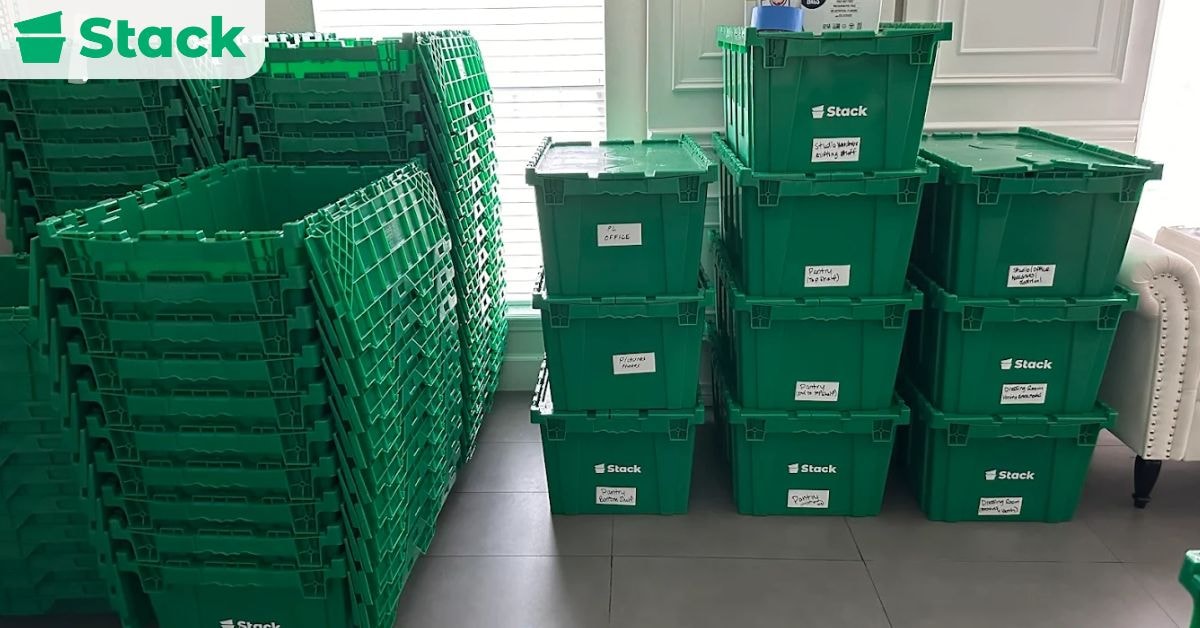
Stack Moves prides itself on making moves safer by renting out durable, plastic moving crates. Their design protects fragile items like cables and adapters during transit. Beyond safety, these crates help you cut down on packing costs since you only pay a fraction of what it would cost to buy them. Book your moving crates today!
In this blog, we will break down the key components of a successful IT relocation. We’ll also guide you on how to safely pack your equipment and how to choose a reliable relocation partner for your move.
What Are Office IT Relocation Services?

These are a specialized category of office relocation services that focus on moving your tech from one location to another. What makes them different from general office moves is that the handlers need to have a good understanding of hardware, network setup, and data protection.
A full-service provider typically helps with hardware transport, server relocation, cable management, data backup, and post-move troubleshooting. They also plan your new IT infrastructure layout in the new office and ensure a smooth switchover to minimize disruptions.
The risk level associated with IT moves is too big to ignore. One mistake could lead to days of downtime or even data loss, which is why protecting your IT systems is one of the most critical factors to consider in any office move.
What’s Included in IT Office Relocation Services?

There’s a lot more to it than simply moving computers and cables – key services are everything needed to set up properly at the new location. Taking advantage of professional relocation services can save you hours on your move.
IT Infrastructure Assessment
Modern office environments are filled with systems that require extra care during relocation. That’s why, before you physically move anything, your IT relocation provider will audit your current setup. They do this because they need to understand what you have and how you use it to design a relocation plan with minimal downtime.
They will also record everything you own so that nothing goes missing during the move. This step also helps you decide if anything needs upgrading or decommissioning before the move. Additionally, they will take note of any system that needs special handling or backup.
Project Planning and Coordination
Without a well-thought-out move plan, your IT relocation experience is bound to be a chaotic one. Work closely with your relocation provider to come up with a moving timeline. This timeline will factor in your company’s needs and possible disruptions that could hinder the success of your move.
Some of the best providers assign a dedicated project manager to coordinate the move and serve as your point of contact. This way, you can enjoy a move with minimal disruption to your team.
Data Backup and Security
Before you even think about unplugging anything, first make sure all your data is backed up. Experienced teams encrypt sensitive files in addition to backing up the data on critical systems so that they remain safe throughout transit.
In the event that your hardware gets damaged or your data is corrupted during the move, you can navigate it knowing that your business’s data is protected. The goal is to move your data safely while keeping it out of the wrong hands.
Network and Server Room Setup
This isn’t as simple as plugging things back in. Your IT relocation team should plan the layout for your new server room in advance. This is where they map out cables, position server racks, and work out access to power outlets.
It’s also their job to ensure that the space meets the cooling and ventilation requirements needed to keep your servers from overheating. Another thing this service covers is assessing the load on the power supply to avoid outages.
Workstation and Device Relocation
Every piece of equipment should be handled with care, whether it’s a phone or a monitor. To keep things organized during the move, clearly label your items so that they arrive at the right desk in your new space. Normally, devices should be packed using anti-static wraps to protect their screens and any other delicate components.
Once they’ve made it to the new office, the team should test each device to make sure it still works. This minimizes disruption and gets employees back to work faster.
Testing and Troubleshooting
Until everything’s up and running, the move isn’t over. A post-move check allows your provider to confirm that all systems are a go. They’ll check for things like your internet connectivity, server access, and software performance.
If anything breaks during the move or doesn’t work as it should, your providers will troubleshoot on the spot to resolve it quickly. Having an experienced team handle this step ensures your business gets back up and running with as little downtime as possible.
How to Choose an IT Relocation Provider

Start by checking their certifications, because most reputable providers will have industry credentials and a proven track record with tech-heavy moves. Always ask for references and client testimonials to see how they’ve handled similar projects. It’s also important to confirm that the company carries full insurance coverage in case of accidents or damage.
Before you sign anything, ask key questions about their experience with data center relocation, how they handle data backup and recovery, and other relevant details. Their answers will tell you how prepared they are to manage your infrastructure.
We recommend working with a team that offers comprehensive office relocation services so that you don’t have to work with separate vendors for different parts of the move.
A typical average IT relocation service quote should include project planning, packing and transport, cable management, network setup, and post-move testing. Make sure every detail is clearly outlined before moving forward.
Need help comparing providers? Here’s a list of top corporate relocation companies to start with.
How to Properly Pack IT Equipment for an Office Relocation
Moving your IT equipment isn’t as simple as just tossing everything into a box. Taking the time to protect your gear reduces the risk of damage, so you can enjoy a smoother transition to your new office.
1. Use the Right Packing Materials
Electronics are sensitive, so start by gathering materials to protect them. You need anti-static bubble wrap, foam inserts, and cable ties. The real game changer is your moving container. We recommend getting plastic over cardboard boxes because they don’t buckle under pressure or get soggy if they get wet.
These plastic bins can hold just about anything, but if you’re not sure what you can or can’t pack in them, consult your moving coordinator.
2. Label Everything Clearly
A surefire way to make your move day chaotic is to skip labeling. That’s why you should label each box with its content and where it should go. Also, label individual devices and cables either with color-coded tags or masking tape and markers. Small steps like this make a difference when setting up your new office space because they save your IT team hours of guesswork when reconnecting workstations and troubleshooting.
3. Protect Sensitive Components
Components like hard drives, motherboards, and exposed ports are very vulnerable when moving. Wrap hard drives individually in anti-static material, and consider placing them in their own padded bins. For desktops or CPUs, ensure internal components are secured to prevent them from shifting in transit. If a machine has fragile ports (like HDMI or USB-C), cap them off or fill them with foam plugs to avoid damage.
4. Create an Inventory List
Before sealing up a single box, take note of what’s going in and where it belongs. This document is called an inventory list, and you can use a spreadsheet or a moving inventory app to log items by category. Number your bins and match them to your list for easy cross-checking when you unpack. This step is especially useful for large offices or shared equipment rooms where multiple teams rely on the same devices.
5. Avoid Common Mistakes
Avoid tossing all your cords into a miscellaneous box; keeping them organized will save you time later when unpacking.
There’s a low chance that your equipment will survive a bumpy road without protection, so don’t take that risk. In the same vein, we won’t advise you to skip anti-static wraps because this could lead to internal damage in your devices.
When it’s time to unpack, leaving devices unlabeled can cause delays and frustration at the new office. Plus, using cheap or worn-out boxes can cause the entire load to shift and get damaged in transit.
What to Expect During an IT Office Relocation?

To have a successful IT business relocation, you should compile an in-depth process plan that will be responsible for moving your tech and keeping your business running safely.
Ideally, you should begin planning for your IT relocation several months in advance to allow enough time for site audits, vendor selection, and detailed coordination.
It all begins with a site audit and inventory check. Before you box up anything, the relocation team will visit your current location and the new location for an assessment. During these visits, they will also create a detailed inventory of your IT assets.
Then, they create a moving timeline with the help of your internal team. The goal is to come up with a timeline that aligns with your business operations. This is an important step for businesses that offer 24/7 support or work across different time zones so that downtime can be minimal.
Before disconnecting anything, full backups are performed, locally and to the cloud. Some businesses also opt for encrypted transport to prevent exposure during the move. Relocation support teams usually have recovery protocols in place in case of an emergency.
As moving day approaches, the packing begins. Start with using anti-static materials to protect your equipment and then placing them in durable moving crates. Every cable, every screen, and every device should be tagged so it can be reconnected without second-guessing.
Once everything is packed, the equipment is carefully transported. Vehicles are often GPS-tracked, and delivery is handled with white-glove care because of the high-value or sensitive gear involved. When your tech arrives at the new office, the team gets to work to set the place up.
Now it’s time to test everything before you go live. Every connection, from VoIP lines to internal databases, should be checked. If there are DNS conflicts or connectivity issues, they’re addressed immediately. Until everything is stable, the move isn’t considered complete.
Want to Make Your IT Relocation Safer?
Relocating your IT infrastructure isn’t something to figure out on the fly. Partnering with an IT relocation service reduces the risk of damaging anything important. And while you may not need a full-service mover, you will need the right tools to get the job done right.
Stack Moves has supported countless relocations by providing durable commercial moving boxes that are perfect for sensitive IT equipment. Don’t wait until the last minute to plan for your move. Get a quote today!
Rent Plastic Bins for Your Move!
Moving with cardboard boxes is a pain. Get pre-assembled bins delivered to your door and move hassle-free with Stack!
Stack eliminates the need for you to source, break down, or fill up your trash can with cardboard boxes.